Bar charts are powerful visual tools for representing data, enabling quick comparisons and insightful analysis. This guide walks you through the entire process, from data preparation to customization and interpretation, ensuring you create effective and informative bar charts.
This comprehensive guide will cover the fundamental aspects of creating bar charts, including the selection of appropriate chart types, the preparation of data, and techniques for creating visually appealing and easily understandable representations. We will delve into the various customization options available, allowing you to tailor the charts to your specific needs and the nature of your data.
Introduction to Bar Charts
A bar chart is a graphical representation of data using rectangular bars of varying heights or lengths. It visually displays the comparison of different categories or groups, making it a powerful tool for understanding trends, patterns, and relationships between data sets. This simple yet effective visualization technique allows for quick comprehension of numerical data and aids in identifying significant differences or similarities across various categories.Bar charts are particularly useful for presenting categorical data and comparing values across different categories.
The visual nature of the chart allows for easy interpretation of the magnitude of differences between data points, making it suitable for conveying information effectively to a wide audience.
Key Components of a Bar Chart
Bar charts are composed of several key elements that contribute to their effectiveness in data visualization. Understanding these components enhances the interpretation and comprehension of the presented data. The axes, bars, and labels work together to provide a clear picture of the data.
- Axes: The horizontal (x-axis) and vertical (y-axis) axes form the framework of the chart. The x-axis typically represents the categories or groups being compared, while the y-axis represents the numerical values associated with each category.
- Bars: Rectangular bars are used to represent the values associated with each category on the x-axis. The length or height of each bar corresponds to the magnitude of the value it represents.
- Labels: Labels are crucial for understanding the chart. Category labels are placed on the x-axis to identify each group. The y-axis label indicates the unit of measurement for the numerical values. Clear and concise labels ensure accurate interpretation.
Suitable Scenarios for Bar Charts
Bar charts are suitable for various scenarios where comparison of categorical data is essential. They are especially effective when displaying the distribution of data across different categories.
- Comparing sales figures across different regions: A bar chart can effectively illustrate the sales performance of various regions, allowing for a clear visual comparison of revenue generation.
- Analyzing the popularity of different products: Bar charts can be used to visually compare the sales volume or popularity of various products. This is useful for identifying the most popular product and strategizing marketing efforts.
- Displaying the performance of students in different subjects: A bar chart can effectively visualize the scores or grades of students across various subjects, making it easy to compare their performance.
Data Type and Visualization Suitability
The choice of visualization technique depends on the nature of the data being presented. A bar chart is particularly well-suited for comparing values across different categories.
| Data Type | Visualization Suitability |
|---|---|
| Numerical Data (e.g., sales figures, temperatures) | Suitable for comparing values across different categories. |
| Categorical Data (e.g., product types, customer demographics) | Excellent for comparing values across different categories. |
Data Preparation for Bar Charts
Preparing data for bar charts is a crucial step, ensuring accurate and effective visualization. A well-prepared dataset allows for clear and insightful interpretations of the data. Without proper data preparation, the resulting chart could be misleading or fail to convey the intended message. This section will cover the importance of data cleaning and validation, suitable data transformations, and methods for handling missing data and outliers.Data preparation involves more than just gathering the raw numbers.
It requires meticulous attention to detail and a deep understanding of the data’s characteristics. This meticulous process helps in achieving a more accurate and reliable interpretation of the data presented. This includes ensuring data quality and transforming it into a format suitable for bar chart creation.
Data Cleaning and Validation
Thorough data cleaning and validation are essential for producing reliable bar charts. This involves identifying and correcting inconsistencies, errors, and inaccuracies within the dataset. Data validation techniques ensure that the data adheres to predefined rules and expectations. For instance, if the data represents age, values outside the reasonable range should be flagged and corrected. Validating the data helps ensure the integrity of the final chart.
Data Transformation
Appropriate data transformation is crucial for effectively visualizing data using bar charts. This often involves converting data from one format to another, or performing calculations to create new variables that better suit the visualization needs. This step is particularly important when dealing with complex or multi-layered data. For example, transforming raw sales figures into percentages can provide a more meaningful comparison across different categories.
Handling Missing Data and Outliers
Missing data points and outliers can significantly skew the representation of a bar chart. Handling these issues requires careful consideration. Strategies for handling missing data include imputation (replacing missing values with estimated ones) or removal (excluding the affected data points). Similarly, outliers can be identified and addressed through methods like capping (limiting the values to a specific range) or removal, depending on the context.
Identifying and addressing these irregularities can lead to a more accurate and reliable visualization.
Data Formats for Bar Charts
Various data formats are suitable for creating bar charts. Common examples include CSV (Comma Separated Values), JSON (JavaScript Object Notation), and spreadsheet formats like Excel or Google Sheets. The choice of format depends on the source of the data and the tools available for data manipulation and visualization.
- CSV files are simple text-based files that store data in rows and columns, separated by commas. They are widely used for exchanging tabular data between different systems. The structure is straightforward, making it easily readable by most data analysis tools.
- JSON files are commonly used for representing structured data in a hierarchical format. They are often used for data exchange between web applications. The structure allows for nested data, which is beneficial for handling complex datasets.
- Spreadsheet formats, like Excel and Google Sheets, offer a user-friendly interface for data entry, manipulation, and visualization. The spreadsheet environment allows for calculations and transformations to be performed directly within the file.
Data Transformation Techniques
Data transformation techniques can significantly impact the visualization of bar charts. Choosing the appropriate technique depends on the specific characteristics of the data and the intended message.
| Transformation Technique | Description | Impact on Visualization |
|---|---|---|
| Logarithmic Transformation | Converts data to a logarithmic scale. | Useful for data with a wide range of values, compressing the large values and highlighting smaller ones. |
| Normalization | Scales data to a specific range (e.g., 0 to 1). | Allows for comparison of variables with different scales. |
| Aggregation | Groups data into categories. | Summarizes data and reveals overall trends. |
| Differencing | Calculates the difference between consecutive data points. | Highlights trends and patterns in time-series data. |
Choosing the Right Bar Chart Type
Selecting the appropriate bar chart type is crucial for effectively communicating data insights. Different chart variations offer unique visual representations, enabling analysts to highlight specific aspects of their datasets. Understanding the strengths and weaknesses of each type allows for a tailored approach, maximizing the clarity and impact of the visualization.
Variations of Bar Charts
Various bar chart types cater to diverse data characteristics and analytical needs. These variations include clustered, stacked, grouped, and percentage bar charts, each presenting data in a distinct manner. Understanding their specific functionalities and appropriate applications is essential for creating impactful visualizations.
Clustered Bar Charts
Clustered bar charts are ideal for comparing multiple categories across different groups or time periods. Each category is represented by a separate set of bars, allowing for side-by-side comparisons. For instance, comparing sales figures for different product types (e.g., clothing, electronics) across three different quarters would be effectively visualized using a clustered bar chart. This chart type facilitates direct comparisons between categories within each group.
Stacked Bar Charts
Stacked bar charts are useful for illustrating the proportion of different components within a whole. Each bar represents the total value, and the segments within it depict the contribution of each component. For example, if one wanted to show the breakdown of expenses (rent, utilities, groceries) within a monthly budget, a stacked bar chart would be suitable. The height of each segment represents the relative proportion of each expense category.
Grouped Bar Charts
Grouped bar charts are suitable for presenting comparisons between different categories for various groups or sets of data. Each category is displayed as a separate bar for each group, enabling side-by-side comparisons. This type is particularly helpful when analyzing the performance of various teams within a company, comparing the sales figures of different products across various regions, or contrasting student scores in different subjects.
Percentage Bar Charts
Percentage bar charts are designed to show the relative proportions or percentages of different categories within a whole. Each bar represents a category, and the height corresponds to the percentage of the whole it represents. For example, a company might use a percentage bar chart to display the market share of various products. This chart type clearly illustrates the proportion of each category’s contribution.
Choosing the Right Type
The optimal choice depends on the specific data being visualized and the insights one aims to convey. A well-designed bar chart accurately reflects the underlying data, facilitating quick interpretation and effective communication of key findings.
| Bar Chart Type | Suitable Use Cases |
|---|---|
| Clustered | Comparing multiple categories across different groups or time periods. |
| Stacked | Illustrating the proportion of different components within a whole. |
| Grouped | Presenting comparisons between different categories for various groups. |
| Percentage | Showing relative proportions or percentages of different categories within a whole. |
Analyzing Bar Charts
Interpreting bar charts effectively allows for a deeper understanding of the data presented. By recognizing trends, patterns, and comparisons, valuable insights can be gleaned from the visual representation of numerical information. This analysis process empowers informed decision-making and fosters a comprehensive understanding of the subject matter.
Key Insights from Bar Charts
Bar charts visually represent the magnitude of different categories. Analyzing these charts involves identifying significant differences in values, revealing patterns, and establishing relationships between data points. By examining the heights of the bars, one can directly compare the values and quickly assess the relative importance of each category. Understanding the context of the data is crucial to interpreting the chart’s message.
Identifying Trends and Patterns
Trends in bar charts reveal how data values change over time or across categories. Patterns highlight recurring relationships within the data. For instance, a consistent increase in bar heights over successive periods suggests a positive trend. Conversely, a decreasing pattern indicates a negative trend. Recognizing these trends allows for forecasting future outcomes and understanding underlying factors driving the observed changes.
A consistent gap between bars of similar categories might signal a recurring difference that needs further investigation.
Common Interpretations of Bar Chart Data
Various interpretations are possible based on the specific data presented. One common interpretation involves comparing the performance of different groups or categories. For example, a bar chart displaying sales figures for different product lines can reveal which product is performing best. Another common interpretation focuses on identifying outliers or exceptional values. A significantly higher or lower bar compared to others highlights a particular category requiring closer examination.
Analyzing market share, comparing the number of users over time, or showcasing sales growth across different regions are other examples of common interpretations.
Drawing Conclusions from Bar Chart Data
Drawing conclusions from bar chart data requires careful consideration of the data’s context. Consider the specific questions the chart addresses. For instance, if the chart shows sales figures for different regions, the conclusion might involve stating which region experienced the most significant growth. Similarly, if the chart depicts user engagement over time, the conclusion might describe the increasing or decreasing user trend.
The conclusions should be supported by the data and avoid making assumptions not supported by the chart. A key step is to avoid generalizing beyond the data’s scope.
Drawing Meaningful Inferences
Meaningful inferences from bar charts involve understanding the implications of the data presented. A significant difference between two bars, for example, might suggest the need for a strategic adjustment or further investigation. If the chart shows a steady decline in user engagement, it could prompt an investigation into the reasons behind this decline. Furthermore, if a bar chart displays an increase in sales for a particular product, it could signal the need for further marketing campaigns for that product.
Careful consideration of the data and its context allows for accurate and insightful inferences.
Real-World Applications of Bar Charts
Bar charts are versatile visual tools that effectively communicate quantitative data across various fields. Their straightforward presentation of categories and corresponding values makes them a popular choice for conveying insights and facilitating data-driven decision-making. From business performance analysis to scientific research, bar charts play a critical role in presenting data in a clear and understandable manner.Bar charts excel at comparing different categories, highlighting trends, and showcasing performance differences.
Their visual clarity allows for rapid comprehension of data, making them valuable tools in diverse settings. Accuracy in representing the data is paramount to ensure reliable interpretations and avoid misinterpretations.
Business Applications
Bar charts are frequently used in business to visualize key performance indicators (KPIs). For instance, a company might use a bar chart to compare sales figures across different product lines or regions. Such a chart could easily illustrate which product line or region performed best during a specific period. Another example might be a bar chart showing profit margins for different departments over a fiscal year, enabling a comparative analysis and identifying high-performing or underperforming departments.
This visual representation allows business leaders to quickly grasp the overall performance and pinpoint areas needing attention.
Scientific Applications
In scientific research, bar charts are used to display experimental results and compare different conditions. For example, a researcher studying plant growth might use a bar chart to compare the average height of plants exposed to different levels of sunlight. This allows for a clear visual comparison of the effects of various experimental conditions. Similarly, a biologist could use bar charts to present data on the distribution of different species within a given ecosystem, offering insights into biodiversity.
Bar charts can also be employed in analyzing the effectiveness of different treatments in a clinical trial.
Healthcare Applications
Bar charts can be valuable tools in healthcare for visualizing patient data and tracking health trends. For example, a hospital might use a bar chart to display the number of patients admitted with specific conditions over a period of time. This chart would quickly reveal the prevalence of particular illnesses. Furthermore, a healthcare provider might use a bar chart to monitor the success rate of different treatments or procedures, providing a clear visual representation of effectiveness.
These charts can help healthcare professionals identify trends in patient health and adjust treatment strategies accordingly.
Importance of Accurate Representation
In all applications, the accuracy of the bar chart is crucial. Inaccuracies in the data displayed, either in the values or categories, can lead to misleading conclusions and inappropriate decisions. The correct scaling of the vertical axis, clear labeling of categories, and precise representation of values are critical to avoid misinterpretations.
Significance in Data-Driven Decision Making
Bar charts play a vital role in data-driven decision-making by providing a concise and easily understandable summary of data. By visualizing trends and comparing different categories, decision-makers can quickly identify patterns, outliers, and potential issues. For instance, a business can use a bar chart to assess sales performance across different regions, prompting strategic adjustments to maximize profitability in underperforming regions.
In healthcare, bar charts can highlight emerging health trends, allowing for timely interventions and resource allocation.
Example Bar Charts

Bar charts are a powerful visual tool for comparing categories of data. They effectively display the magnitude of different values, making trends and comparisons readily apparent. Understanding the various types of bar charts and how to interpret them is crucial for extracting meaningful insights from data. This section presents several examples showcasing the versatility of bar charts in different contexts.
Illustrative Bar Chart Examples
This section provides examples of bar charts with varying data sets, designs, and purposes. Each example includes detailed descriptions of the data, the chart’s intended purpose, and key takeaways.
Example 1: Sales Performance by Quarter
This bar chart displays the sales performance of a company across four consecutive quarters. The data is represented by the height of each bar, with each bar corresponding to a specific quarter.
| Quarter | Sales (USD) |
|---|---|
| Q1 2024 | 150,000 |
| Q2 2024 | 200,000 |
| Q3 2024 | 180,000 |
| Q4 2024 | 220,000 |
The chart clearly demonstrates a positive trend in sales performance, with the highest sales occurring in Q4 2024. This example highlights the use of bar charts to track progress over time. The key takeaway is the company’s success in exceeding previous quarter sales, with a significant increase in the fourth quarter.
Example 2: Market Share Analysis
This bar chart visually represents the market share of various software companies in the enterprise software market. Each bar represents a different company, and its height corresponds to its percentage of market share.
| Company | Market Share (%) |
|---|---|
| Company A | 35 |
| Company B | 28 |
| Company C | 20 |
| Company D | 17 |
The chart immediately shows the dominant position of Company A in the market, followed by Company B. This is a useful tool for businesses to understand their competitive landscape. The insight is that Company A holds a substantial market share, potentially requiring competitive strategies for other companies to gain traction.
Example 3: Customer Satisfaction Ratings
This bar chart illustrates customer satisfaction ratings for different product categories within an e-commerce platform. The x-axis represents product categories, and the y-axis represents the average satisfaction score (on a scale of 1 to 5). Different shades of blue represent different categories of products.
This example effectively uses color-coded bars to distinguish between product categories, aiding in a quick comparison of customer satisfaction levels. A key insight is that the electronics category receives the highest customer satisfaction scores, whereas clothing items show lower satisfaction ratings.
HTML Table Structure for Bar Charts
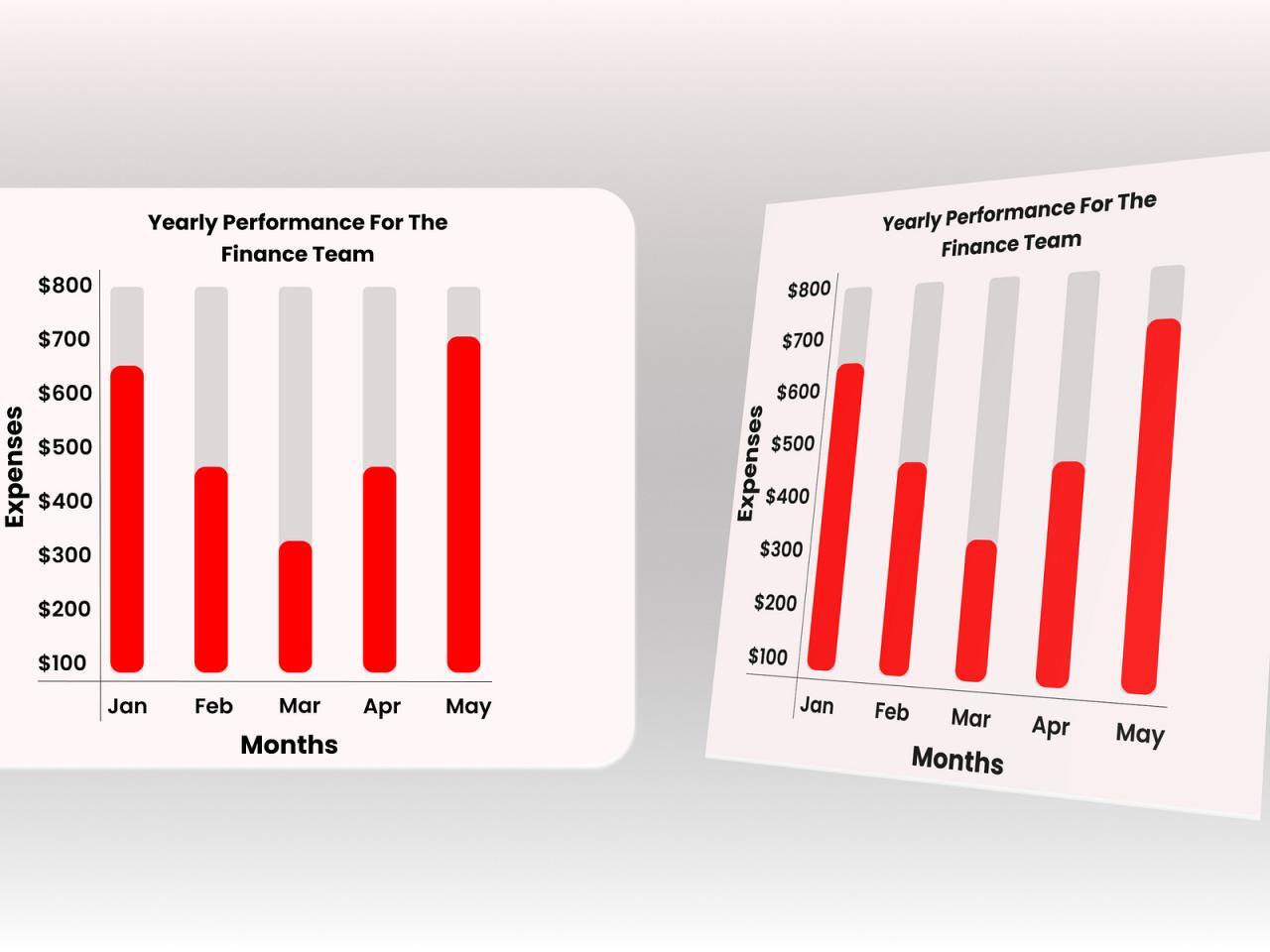
Creating a well-structured HTML table is crucial for presenting bar chart data effectively. A clear and organized table layout improves the visual appeal and accessibility of the chart, facilitating easier interpretation of the presented information. This structured approach ensures the data is presented in a manner that aligns with best practices for data visualization.
Table Structure for Different Bar Chart Types
A table structure provides a fundamental framework for representing bar chart data. The specific structure will vary based on the complexity and type of bar chart. For instance, a simple bar chart showing the sales of different products would require fewer columns compared to a clustered bar chart that illustrates sales across multiple years.
- Simple Bar Chart: This type of chart typically displays data for a single variable across different categories. The table structure for this would have a column for categories (e.g., product names) and a column for the corresponding values (e.g., sales figures). An example might include product names in one column and sales figures in another.
- Grouped/Clustered Bar Chart: These charts compare data points across different categories for multiple variables. The table structure will need additional columns to represent each variable being compared. A crucial consideration is to clearly label each data series to avoid confusion, such as using separate columns for sales figures in different years.
- Stacked Bar Chart: This chart type illustrates the proportion of different components within each category. The table structure should include columns for categories, component values, and potentially, sub-components or proportions.
Responsive Table Attributes and Classes
Implementing responsive design principles is vital for ensuring the table adapts to different screen sizes. This adaptability ensures that the table remains readable and understandable on various devices, from desktop computers to mobile phones.
- `table-responsive` class: This Bootstrap class automatically adjusts the table’s width to fit the screen, preventing horizontal scrolling. This is a common practice for web-based bar charts to maintain a clear and uncluttered display.
- `table` and `th` elements: Setting appropriate widths or using `colspan` and `rowspan` attributes on table headers (
) can further enhance responsiveness. This ensures that the table columns adjust dynamically to fit the available screen space. - Media Queries: Use media queries to tailor the table’s display based on different screen sizes. This allows you to fine-tune the table’s presentation for various devices.
Data Organization in Columns and Rows
The clarity of the table directly impacts the ease with which the bar chart data is understood. Logical organization of columns and rows is key to effective data presentation.
- Column Headers: Each column should have a clear and concise header explaining the data contained within. This is essential for users to quickly grasp the information represented in the table and consequently the bar chart.
- Consistent Data Format: All data values within a column should be of the same data type (e.g., numbers, dates, text). Consistency ensures accurate interpretation of the data, preventing misinterpretations and facilitating correct data analysis.
- Appropriate Data Representation: Ensure that data values are formatted appropriately. For example, use currency symbols for financial data and date formats for time-series data.
HTML Example
The following example demonstrates a simple HTML table structure for a bar chart. This table presents sales data for different products.“`html
Product Sales (USD) Laptop 12000 Tablet 8000 Smartphone 15000 “`
Last Point
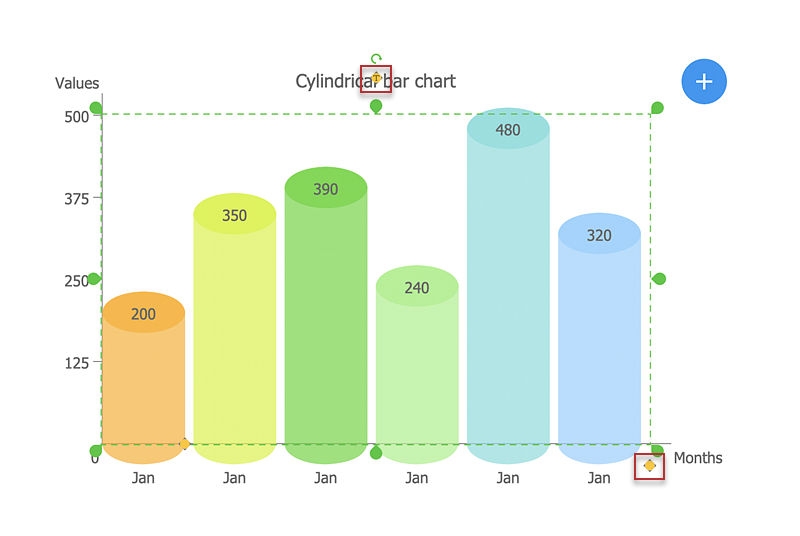
In conclusion, creating effective bar charts requires a methodical approach, from data preparation and chart type selection to customization and interpretation. This guide has provided a thorough understanding of the process, enabling you to create compelling visualizations that effectively communicate insights from your data. By mastering these techniques, you can leverage bar charts to enhance data presentation and drive informed decision-making.