Data parsing is crucial for extracting meaningful insights from raw data. This guide provides a comprehensive overview of how formulas can be effectively used to parse data, covering everything from fundamental concepts to advanced techniques. We’ll explore various data types, essential formula types, and practical applications in diverse scenarios. Understanding these methods is vital for anyone working with data, regardless of their technical background.
From basic data cleaning to advanced data transformations, this guide illuminates the power of formulas in data manipulation. We’ll cover a wide range of formula types, from simple extraction functions to complex nested formulas, providing step-by-step examples and case studies to illustrate their practical applications. This guide will equip you with the necessary knowledge and skills to confidently parse data using formulas.
Introduction to Data Parsing with Formulas
Data parsing is the process of extracting meaningful information from raw data. This is crucial in various applications, from analyzing financial reports to understanding customer behavior. Effectively extracting and structuring data enables informed decision-making, improved efficiency, and valuable insights. Formulas are a powerful tool in this process, enabling automated data manipulation and transformation.Formulas provide a structured approach to data manipulation, allowing for complex transformations and calculations to be performed on data sets.
They automate the process of data extraction, cleaning, and transformation, which is critical for large and complex datasets. Using formulas for data parsing can significantly reduce the time and effort required to derive meaningful information.
Fundamental Concepts of Formulas in Data Manipulation
Formulas in data manipulation act as instructions that perform specific operations on data. They leverage mathematical operators, logical conditions, and functions to derive new values or extract relevant information from existing data points. This process allows for the automated conversion of data into a usable format for analysis. A key component is the ability to reference specific cells or ranges within the data set, allowing for dynamic calculations based on the content of the data itself.
Use Cases for Formula-Based Parsing
Formula-based parsing finds wide application across various domains. In financial analysis, formulas can be used to calculate returns, analyze trends, and predict future performance. In marketing, formulas can segment customers based on demographics or purchasing patterns. In customer relationship management (CRM), formulas can help in identifying at-risk customers or customers who may respond favorably to specific promotions.
Data parsing with formulas streamlines these processes, providing valuable insights and actionable information.
Common Data Types Suitable for Formula Parsing
Formulas can be applied to various data types. The choice of formula depends on the nature of the data and the desired outcome. Common data types include text, numbers, dates, and logical values.
Table of Data Types and Formula Examples
| Data Type | Description | Formula Example | Explanation |
|---|---|---|---|
| Text | Alphanumeric characters | =LEFT(A1,5) | Extracts the first 5 characters from cell A1. |
| Numbers | Numerical values | =SUM(B2:B10) | Calculates the sum of values in cells B2 through B10. |
| Dates | Representing time | =TODAY() | Returns the current date. |
| Logical Values | TRUE or FALSE | =IF(A1>10,”Yes”,”No”) | Checks if the value in cell A1 is greater than 10. If true, returns “Yes”, otherwise “No”. |
Essential Formula Types for Data Parsing
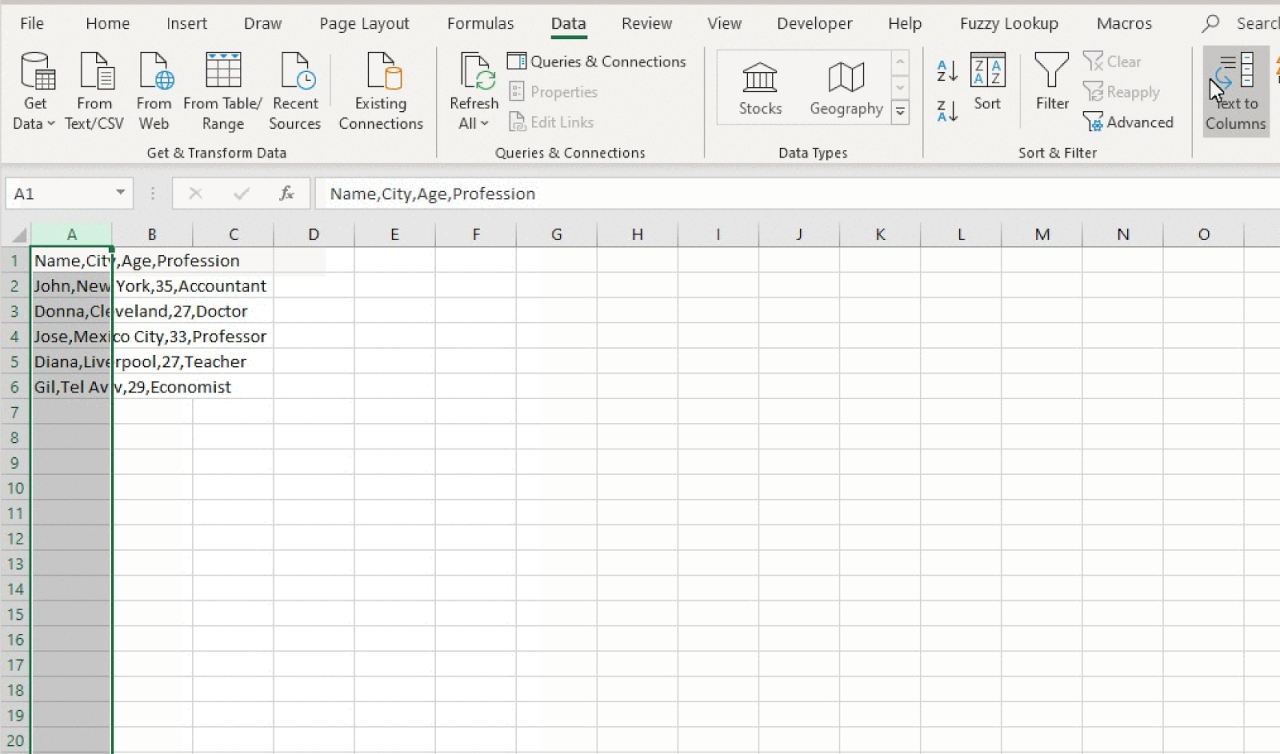
Data parsing often requires extracting and transforming information from various formats, such as CSV and JSON files. Formulas are powerful tools for automating this process, enabling efficient and accurate data manipulation. Understanding essential formula types and their applications is crucial for effective data parsing.Effective data parsing relies heavily on selecting the right formulas. The ability to precisely extract specific data elements and transform them into usable formats is vital.
This section will detail key formula types for data extraction and transformation, along with examples using different data structures.
Text Extraction Formulas
Formulas like LEFT, RIGHT, and MID are fundamental for extracting specific parts of text strings. These functions are especially useful when dealing with structured data where elements are delimited by spaces, commas, or other characters.
- LEFT: Extracts a specified number of characters from the left side of a text string.
- RIGHT: Extracts a specified number of characters from the right side of a text string.
- MID: Extracts a specified number of characters from a text string, starting at a given position.
These formulas are highly versatile. For instance, consider extracting the first name from a full name stored as a text string.
Numerical Extraction Formulas
Extracting numerical data from text strings is another common task in data parsing. This is often achieved by combining text extraction formulas with conversion functions.
- VALUE: Converts text representations of numbers into numerical values.
- NUMBERVALUE: Similar to VALUE, but with additional flexibility in handling various number formats.
For example, suppose a CSV file contains a column with mixed data including names and numerical values. To extract the numerical values, we can apply the VALUE function.
Data Structure-Specific Formulas
Different data structures require tailored parsing approaches. Formulas must align with the structure.
- CSV Parsing: Formulas like LEFT, RIGHT, and MID can be employed to extract specific fields from CSV data, often separated by commas. This extraction process often requires string splitting and further manipulation.
- JSON Parsing: JSON data is structured using key-value pairs. Formulas for accessing these values will differ. Excel or Google Sheets might have functions specific to JSON parsing, allowing direct access to values based on the key.
For example, consider a JSON object containing customer information. The formulas would be used to extract specific details, such as the customer’s name or order amount.
Examples of Formulas
Let’s illustrate how these formulas work with examples.
- Extracting Numerical Data: Suppose a text string “Order 12345″ is stored in a cell. To extract the numerical order ID, use the formula: =VALUE(MID(A1,SEARCH(” “,A1)+1,LEN(A1))). This combines MID to extract the portion after the space and VALUE to convert it to a number.
Table of Formula Types and Functions
| Formula Type | Function | Description |
|---|---|---|
| LEFT | Extracts characters from the left | Returns a specific number of characters from the beginning of a text string. |
| RIGHT | Extracts characters from the right | Returns a specific number of characters from the end of a text string. |
| MID | Extracts characters from the middle | Returns a specific number of characters from a specified position within a text string. |
| VALUE | Converts text to number | Converts a text representation of a number to a numerical value. |
| NUMBERVALUE | Converts text to number (alternative) | Converts a text representation of a number to a numerical value, with handling of different formats. |
Data Cleaning and Transformation with Formulas
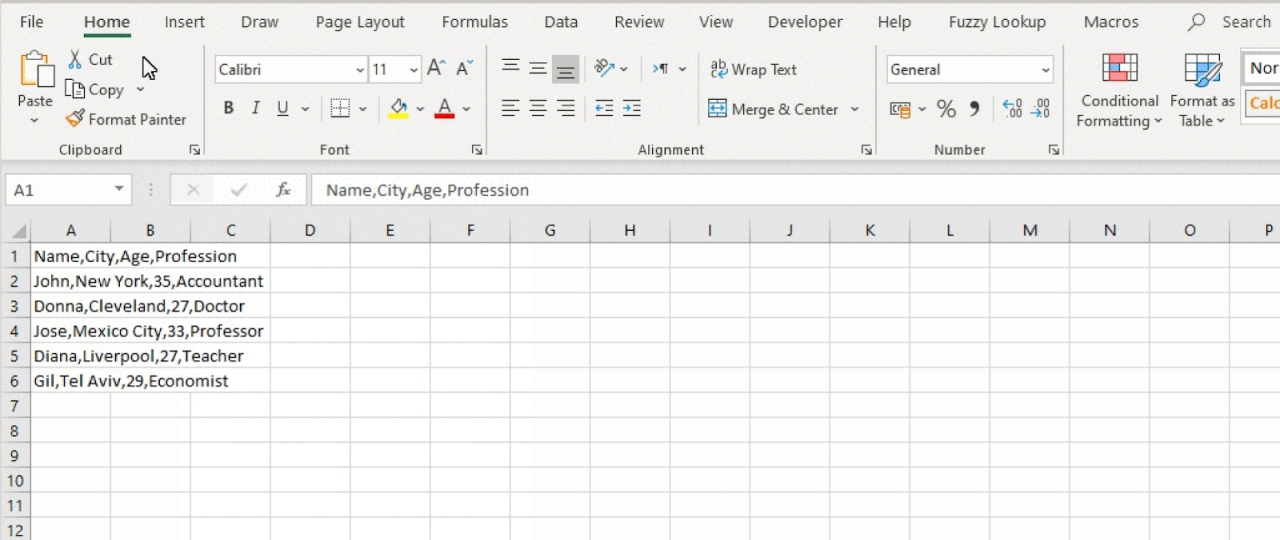
Data often comes in various formats, sometimes with inconsistencies, errors, or missing values. Effective data analysis requires meticulous cleaning and transformation to ensure data quality and accuracy. Formulas provide powerful tools for efficiently addressing these issues, enabling us to prepare the data for analysis and modeling.Data cleaning and transformation are crucial steps in any data analysis project. Inconsistencies in formatting, missing values, and other anomalies can significantly impact the reliability of insights derived from the data.
Formulas offer a structured approach to address these issues, enabling the creation of standardized and accurate datasets.
Common Data Cleaning Issues
Data often presents inconsistencies in formatting, including variations in capitalization, extra spaces, or inconsistent delimiters. Missing values, where critical data points are absent, are another prevalent issue. These inconsistencies can hinder analysis and lead to inaccurate results. Formulas play a key role in identifying and correcting these issues.
Using Formulas for Data Cleaning
Formulas can be used to identify and rectify various formatting issues. For example, formulas can standardize capitalization, remove extra spaces, or replace specific values.
- Replacing Values: Formulas can replace incorrect or inconsistent values with standardized replacements. For example, a formula could replace “Mr.” with “Mr” throughout a dataset to ensure uniformity. Example:
=IF(A1="Mr.", "Mr", A1) - Removing Extra Spaces: Extra spaces can skew data analysis. Formulas can be employed to remove extra spaces surrounding text or within strings. For instance, a formula could trim leading and trailing spaces from a column. Example:
=TRIM(A1) - Standardizing Capitalization: Formulas can standardize capitalization (e.g., converting all text to lowercase or uppercase). This ensures consistency in data analysis. Example:
=LOWER(A1)
Transforming Data with Formulas
Data transformation is often necessary to prepare the data for specific analyses. Formulas facilitate data type conversions and other transformations.
- Data Type Conversions: Formulas can be employed to convert data from one type to another. For example, converting text values to numerical values or dates. Example:
=VALUE(A1)converts text data to numerical data. - Date Formatting: Formulas can standardize date formats to ensure consistency and enable easier analysis. Example:
=DATEVALUE("01/15/2024")converts a date string to a date value.
Handling Missing Data
Missing data is a frequent challenge in data analysis. Formulas offer solutions for handling missing values using conditional statements, such as IF statements.
- Using IF Statements: Formulas can fill missing values with default values or based on other values in the dataset. For example, an IF statement can replace missing values with the mean or median of a column. Example:
=IF(ISBLANK(A1),AVERAGE(A:A),A1)
Methods for Handling Missing Values
Different approaches exist for addressing missing values. A comparison table below highlights common methods.
| Method | Description | Formula Example | Advantages | Disadvantages |
|---|---|---|---|---|
| Mean/Median Imputation | Replace missing values with the mean or median of the column. | =IF(ISBLANK(A1),AVERAGE(A:A),A1) |
Simple to implement, preserves overall distribution. | May not be suitable for skewed distributions. |
| Regression Imputation | Use a regression model to predict missing values based on other variables. | (Requires a regression model) | Potentially more accurate for complex relationships. | Requires more advanced modeling. |
| Deletion | Remove rows with missing values. | (No formula needed, filter data) | Simple to implement. | Can lead to loss of data, especially with many missing values. |
Advanced Formula Techniques
Mastering advanced formula techniques empowers efficient data parsing, enabling users to handle complex data sets with precision and speed. These techniques build upon fundamental parsing skills, allowing for more sophisticated manipulation and extraction of valuable insights. This section delves into nested formulas, date/time handling, custom formulas, and lookup functions, offering practical examples and detailed steps.Data parsing often involves intricate manipulations.
Advanced techniques, such as nested formulas, provide the flexibility needed to tackle complex data sets. These methods extend beyond basic operations, facilitating the extraction of specific information and the transformation of data into usable formats.
Nested Formulas for Complex Parsing
Nested formulas, or formulas within formulas, significantly enhance data parsing capabilities. They enable a hierarchical approach to data manipulation, where results from one formula are used as input for another. This layered structure empowers the handling of complex data structures and the extraction of specific data elements.
- A nested formula structure allows a more granular approach to data parsing, isolating specific information based on multiple conditions or criteria. This enables more comprehensive and precise results.
- Nested formulas are particularly valuable for analyzing data with intricate relationships, enabling the identification of patterns or trends that might otherwise remain hidden.
Example: Extracting product names from an order table where the order status is “Shipped” and the product price exceeds $50.“`=IF(AND(Order_Status=”Shipped”,Product_Price>50),Product_Name,””)“`This formula checks both conditions. If both are true, it returns the product name; otherwise, it returns an empty string.
Date and Time Parsing
Handling dates and times in different formats is crucial for data parsing. Formulas offer flexibility for extracting specific components of dates or performing calculations based on date differences.
- Formulas can extract year, month, day, or time components from date/time values.
- Calculations involving date differences, such as calculating the duration between two dates, are readily achievable with appropriate formulas.
Example: Calculating the number of days between two dates. Assuming ‘Start_Date’ and ‘End_Date’ cells contain date values:“`=NETWORKDAYS(Start_Date,End_Date)“`This formula returns the number of workdays between the specified dates, excluding weekends.
Custom Formulas for Specific Needs
Creating custom formulas empowers users to address unique parsing requirements. These formulas can be tailored to specific data structures and desired outputs, maximizing the versatility of the data parsing process.
- Custom formulas provide a solution when standard functions are insufficient for the task at hand.
- By defining custom functions, the user has full control over the logic, making the data parsing process highly adaptable to individual requirements.
Example: A custom function to extract the last three characters from a text string:“`Function ExtractLastThree(textString As String) As String ExtractLastThree = Right(textString, 3)End Function“`
Lookup Functions for Data Validation
Lookup functions facilitate data validation by cross-referencing values with a lookup table. This ensures data integrity and consistency.
- Lookup functions provide a way to validate data against a predefined set of values.
- This process guarantees accuracy and consistency, reducing the risk of errors in the parsed data.
Example: Validating product codes against a product catalog.“`=VLOOKUP(Product_Code,Product_Catalog,2,FALSE)“`This formula checks if the ‘Product_Code’ exists in the ‘Product_Catalog’. If found, it returns the corresponding product description from the second column of the lookup table.
Implementing Advanced Techniques
Implementing advanced formula techniques involves careful planning and execution. The steps are detailed below:
- Define the task: Clearly identify the desired output and the specific data requirements.
- Choose the appropriate formulas: Select the most suitable formulas for the given data structure and parsing needs.
- Build the formula: Construct the nested formulas, handling date/time formatting, and implementing custom functions or lookup tables as needed.
- Test and refine: Thoroughly test the formula with various sample data to ensure accuracy and reliability.
Practical Examples and Case Studies
Formulas are powerful tools for parsing data in diverse real-world scenarios. Their application extends beyond simple data manipulation to complex data extraction and transformation tasks. This section provides practical examples and case studies demonstrating the versatility of formula-based data parsing.Understanding the specific use cases and steps involved in applying formulas to parse data is crucial for effective data analysis and interpretation.
This section delves into practical applications, highlighting the importance of meticulous steps in data parsing.
Real-World Scenarios Using Formulas for Data Parsing
Data parsing with formulas is vital in various industries, enabling efficient data extraction and analysis. Examples include extracting customer information from order forms, processing financial transactions from logs, or analyzing sensor data from various devices. Formulas allow for the automated extraction and transformation of this data into a usable format.
Step-by-Step Approach to Parsing a Sample Dataset
A structured approach is essential for parsing complex datasets effectively. The following table Artikels a step-by-step process for parsing a sample dataset containing customer order information.
| Step | Description | Formula Example |
|---|---|---|
| 1 | Import the dataset into a spreadsheet application. | N/A |
| 2 | Identify the relevant data fields for parsing. | N/A |
| 3 | Create a new column for the parsed data. | N/A |
| 4 | Use formulas to extract the desired information from the original columns. |
(Example: Extracting first and last name from a single cell containing “John Doe”) |
| 5 | Validate the extracted data to ensure accuracy. | N/A |
| 6 | Further manipulate or transform the parsed data as needed. |
(Example: Categorizing order status into meaningful labels) |
Extracting Specific Information from Complex Data Sources
Formulas facilitate the extraction of specific information from intricate data sources. For instance, extracting product codes from order details, or identifying specific s within large text documents. These formulas provide a systematic approach to extracting relevant information, regardless of the data’s complexity.
Merging and Combining Data from Different Sources
Combining data from multiple sources is a common task in data analysis. Formulas are instrumental in merging data from various sources into a unified dataset. This is achieved through formulas that join or concatenate information from different tables or spreadsheets, resulting in a comprehensive dataset.
Practical Applications in Various Industries
Formulas for data parsing have diverse applications across various industries. In the retail sector, they are used to analyze sales data, identify trends, and personalize customer experiences. In finance, formulas facilitate data extraction and transformation for risk management, fraud detection, and portfolio analysis. In healthcare, formulas can be used to process patient data for research, diagnosis, and treatment planning.
Case Study: Financial Data Analysis
Formulas were employed to analyze financial data for a portfolio of investments. The data included transaction dates, amounts, and descriptions. By using formulas to calculate total returns, identify patterns in spending, and create reports, the company gained valuable insights into their investment performance and made informed decisions. Formulas were used to sort and filter data based on specific criteria and to generate reports and charts, making the data easier to understand and act upon.
Formula Error Handling and Troubleshooting
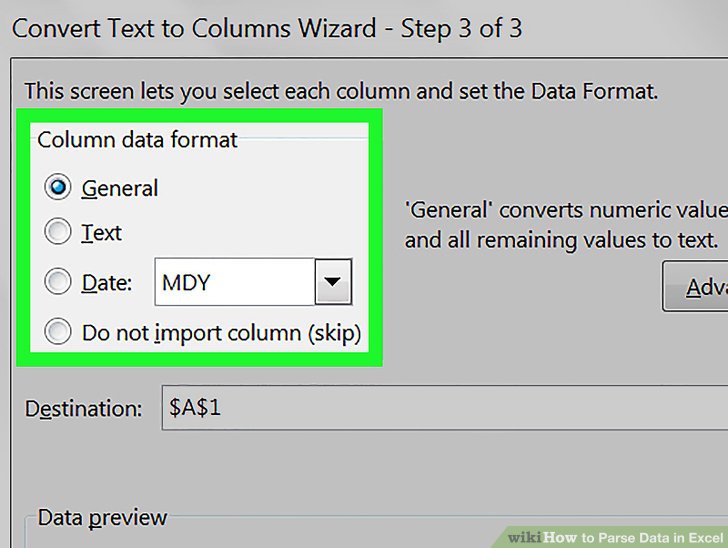
Effective data parsing relies heavily on accurate formulas. Understanding and resolving formula errors is crucial for obtaining reliable results. This section details common pitfalls, diagnostic methods, and preventive measures to ensure the integrity of your data analysis.Identifying and correcting formula errors can save significant time and effort, ultimately improving the efficiency of your data parsing process. Careful attention to potential issues, combined with a methodical troubleshooting approach, will lead to more robust and reliable analyses.
Common Formula Errors and Their Causes
Formula errors often stem from issues with data input, incorrect syntax, or limitations in the chosen formula. Common errors include #VALUE!, #REF!, #NAME?, #DIV/0!, and #NUM!. Understanding the source of these errors is essential for effective resolution. For example, attempting to perform calculations on incompatible data types (e.g., adding a text string to a number) will result in a #VALUE! error.
Methods for Identifying and Resolving Formula Errors
Careful examination of the formula’s structure, coupled with an understanding of the data being processed, is key to resolving errors. Inspecting the formula’s syntax for typos or incorrect operators is a crucial first step. Reviewing the data input for inconsistencies, such as missing values or incorrect data types, can help pinpoint the source of the error.
- Manual Inspection: Carefully review the formula for syntax errors, ensuring that all operators and functions are used correctly. Examine the input data for any inconsistencies, missing values, or incorrect data types that might be causing the error.
- Tracing Data Flow: Step through the formula to see how each part of the formula is evaluated. This can help identify the point at which an error occurs. This method involves meticulously following the data as it moves through the different stages of calculation, ensuring accuracy at each step.
- Using Error Checking Tools: Many spreadsheet programs offer built-in tools for identifying formula errors. These tools can provide specific error messages, which can help to pinpoint the exact source of the problem. These tools are often invaluable in large or complex datasets where identifying the source of an error can be challenging.
Data Validation to Prevent Formula Errors
Data validation is a critical preventative measure against formula errors. By setting rules and constraints on the data being entered, you can minimize the chances of erroneous data entering the parsing process. For example, ensuring that a cell contains only numbers before performing calculations will avoid #VALUE! errors. Implementing data validation rules can significantly enhance the reliability of your formulas and data analysis.
Potential Formula Errors and Their Solutions
| Error | Cause | Solution |
|---|---|---|
| #VALUE! | Attempting to perform an operation on incompatible data types (e.g., adding text to a number). | Ensure data types are consistent and appropriate for the intended operation. |
| #REF! | Referring to a cell that does not exist or has been deleted. | Verify all cell references are valid and haven’t been inadvertently removed or renamed. |
| #NAME? | Using an undefined function or a misspelt function name. | Double-check the function name and ensure that the function exists in the spreadsheet software. |
| #DIV/0! | Attempting to divide by zero. | Identify and address the cells causing division by zero, possibly by adding a check for zero divisors. |
| #NUM! | Performing a calculation that results in a numerical error. | Verify the data and calculations are within the valid numerical range supported by the spreadsheet. |
Using Debugging Tools for Formula Troubleshooting
Spreadsheet software often includes debugging tools that can assist in identifying and resolving formula errors. These tools allow you to step through the formula evaluation, inspect intermediate results, and identify the specific point where the error occurs.
Best Practices for Avoiding Common Formula Errors
Following best practices can significantly reduce the likelihood of encountering formula errors.
- Thorough Data Validation: Implement validation rules to ensure data integrity before processing.
- Clear and Concise Formulas: Use well-structured formulas with clear logic and minimal complexity.
- Regular Testing: Thoroughly test formulas with various datasets to identify potential issues early on.
- Consistent Formatting: Maintain consistent formatting for numbers, dates, and other data types to avoid unexpected results.
Tools and Technologies for Data Parsing
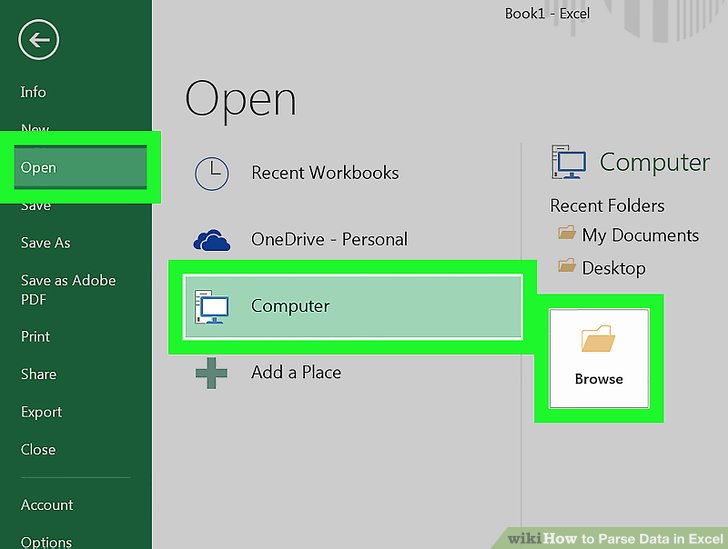
Formula-based data parsing can be effectively executed across a range of tools and technologies. Choosing the right tool depends on the complexity of the data, the desired output, and the user’s familiarity with different platforms. Spreadsheet software and programming languages offer diverse approaches to data parsing, each with its own strengths and limitations.Spreadsheet software, such as Microsoft Excel and Google Sheets, provides a user-friendly interface for basic data manipulation and parsing.
Programming languages, like Python and R, provide more advanced capabilities for complex data processing tasks. This section explores the capabilities of these tools and technologies, comparing their features and functionalities to aid in informed decision-making.
Spreadsheet Software
Spreadsheet software, primarily Excel and Google Sheets, offers a visual and intuitive environment for formula-based data parsing. Their strengths lie in their accessibility and ease of use, making them ideal for beginners and those needing quick solutions. These applications are equipped with a rich set of built-in functions, allowing users to perform calculations, extract data, and format information without extensive coding knowledge.
- Ease of Use: Spreadsheet software excels in its user-friendly interface, making formula implementation straightforward. The visual representation of data and formulas allows for immediate feedback and error identification. The point-and-click nature of these applications makes them accessible to users with limited programming experience.
- Built-in Functions: Spreadsheet applications come with a vast library of pre-built functions, facilitating various data manipulation tasks.
These functions, such as `SUM`, `AVERAGE`, `IF`, `VLOOKUP`, and `INDEX`, can be combined to create complex formulas for parsing and extracting data from diverse datasets.
- Data Visualization: Spreadsheet software provides built-in tools for data visualization, such as charts and graphs. These visualizations can aid in understanding data patterns and insights gleaned from parsed data, thereby enhancing the value of the analysis.
- Limitations: Spreadsheet software can become cumbersome for very large datasets. Complex parsing tasks that involve extensive iterations or intricate algorithms may be challenging to implement efficiently. Data parsing within spreadsheet software often relies on a relatively limited range of functions.
Programming Languages
Programming languages like Python and R offer powerful capabilities for formula-based data parsing, particularly when dealing with substantial datasets or complex transformations. Their versatility and extensive libraries make them suitable for a wider array of tasks.
- Flexibility and Scalability: Programming languages allow for highly customized data parsing solutions. Their flexibility enables handling large datasets and implementing complex logic with ease. This flexibility also allows for adaptation to evolving requirements and data structures.
- Extensive Libraries: Python and R have robust libraries, such as Pandas (Python) and dplyr (R), specifically designed for data manipulation and analysis.
These libraries provide a vast collection of functions for cleaning, transforming, and parsing data.
- Performance and Efficiency: For very large datasets, programming languages can be significantly faster than spreadsheet software in processing and parsing data. Their ability to automate tasks through loops and iterative processes results in greater efficiency.
- Steeper Learning Curve: Programming languages demand a greater level of technical proficiency.
Implementing formula-based parsing requires a strong understanding of the programming language’s syntax and libraries. Debugging and troubleshooting may be more complex.
Comparative Analysis
| Feature | Spreadsheet Software | Programming Languages |
|---|---|---|
| Ease of Use | High | Medium to High (depending on library familiarity) |
| Data Volume Handling | Limited | High |
| Formula Complexity | Moderate | High |
| Customization | Low | High |
| Performance | Low to Moderate | High |
| Data Visualization | Good | Excellent |
Spreadsheet software remains a valuable tool for basic data parsing, but programming languages provide greater flexibility and performance for complex tasks. The choice depends on the specific needs and resources available.
Closing Summary
In conclusion, this comprehensive guide has demonstrated the versatility and efficiency of using formulas for data parsing. We’ve explored various methods for cleaning, transforming, and extracting data from different sources, highlighting the importance of formula error handling and the role of appropriate tools. By mastering these techniques, you’ll be well-equipped to tackle complex data parsing tasks and unlock valuable insights from your data.
Remember that consistent practice and understanding of error handling are crucial for successful data parsing.