Extracting valuable data from websites and seamlessly integrating it into Excel spreadsheets is a powerful skill for professionals across various fields. This comprehensive guide provides a step-by-step approach to effectively gather information from websites, transforming raw data into usable insights within Excel. From fundamental web scraping concepts to advanced techniques for dynamic content and data cleaning, this guide equips you with the necessary knowledge to master this crucial process.
This guide will cover the entire data extraction pipeline, starting with identifying your target data on a website, choosing appropriate tools and libraries for the job, and then seamlessly importing the extracted data into Excel. We will also explore the critical steps of data cleaning and preprocessing, ensuring your data is accurate and ready for analysis. Crucially, we’ll touch upon ethical considerations and best practices for responsible web scraping.
Introduction to Web Scraping for Data Extraction
Web scraping is a technique used to automatically extract data from websites. It plays a crucial role in various applications, ranging from market research and competitive analysis to data science and business intelligence. By automating the process of data collection, web scraping can save significant time and resources compared to manual data entry. This approach allows businesses and individuals to access and analyze vast amounts of information available online, which can be leveraged for informed decision-making.This method involves interpreting and parsing the structure of web pages to identify and extract specific data points.
Understanding the fundamental concepts of web scraping, including identifying data sources, comprehending website structure, and acknowledging ethical considerations, is essential for successful and responsible data extraction.
Data Source Identification
Identifying relevant data sources is the first step in web scraping. This involves meticulous examination of the website to pinpoint specific sections or elements containing the desired information. Careful observation of page layouts, table structures, and data presentation formats is crucial for accurate data extraction. The more structured the data on the website, the easier it is to extract.
Website Structure Comprehension
Understanding the website’s structure is critical for effective web scraping. Web pages are typically built using HTML (HyperText Markup Language), which defines the content’s layout and organization. Analyzing the HTML source code allows scrapers to identify the tags, attributes, and elements that encapsulate the desired data. Tools and techniques for analyzing website structure, such as inspecting the page source code, are essential.
Legal Considerations in Web Scraping
Ethical and legal considerations are paramount when performing web scraping. Respecting website terms of service, avoiding overwhelming the server, and not violating intellectual property rights are crucial. Furthermore, adhering to legal frameworks, such as data privacy regulations (e.g., GDPR), is essential. It’s crucial to understand and respect the website’s robots.txt file, which dictates which parts of the site should not be scraped.
Legitimate vs. Unethical Web Scraping Practices
Legitimate web scraping involves obtaining data for permitted purposes, such as market research or data analysis, adhering to the website’s terms of service and respecting robots.txt. Unethical web scraping, on the other hand, includes violating terms of service, overloading the server, or scraping data for purposes that are not explicitly permitted by the website owners.
Example of a Basic Website Structure
| Product Name | Price | Availability |
|---|---|---|
| Laptop | $1200 | In Stock |
| Tablet | $300 | Out of Stock |
| Smartphone | $800 | In Stock |
This simple HTML table demonstrates a basic website structure. The table contains product names, prices, and availability, which could be extracted using web scraping techniques. Note the clear structure with designated columns for each piece of data. This structured format facilitates the easy extraction of data points.
Identifying and Extracting Data Elements
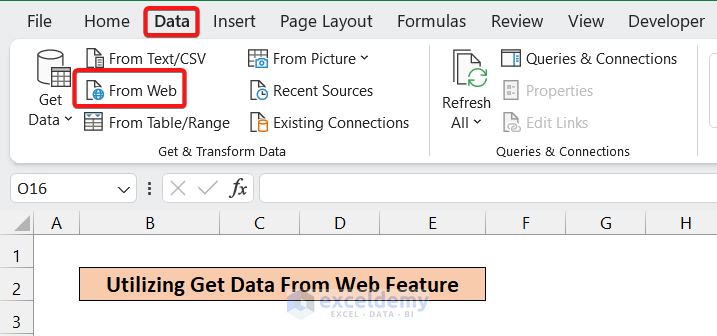
To effectively extract data from a website, the first crucial step is identifying the precise data elements of interest. This involves determining which specific pieces of information—product names, prices, reviews, etc.—are needed for the analysis. Careful consideration of the intended use of the data is essential. For instance, if the goal is to compare product prices, price data will be paramount.Understanding the website’s structure and how the desired data elements are presented is critical.
This understanding allows for the development of efficient and accurate extraction methods. The structure of the website’s HTML elements directly influences the methods employed for data extraction. By analyzing the website’s source code and using browser developer tools, we can pinpoint the exact location of the desired data elements.
Identifying Data Elements
The process of identifying the specific data elements begins with a clear understanding of the data required. For example, if analyzing e-commerce data, the data elements might include product names, prices, descriptions, customer reviews, and ratings. This step is paramount as it directly influences the efficiency and accuracy of the subsequent data extraction process. A thorough understanding of the desired data elements is the cornerstone of successful web scraping.
Locating Data Elements
Several methods can be used to pinpoint the exact location of data elements within the website’s HTML structure. Inspecting the website’s source code, using browser developer tools, and employing web scraping libraries are common approaches.
- Inspecting the website’s source code: Using a web browser’s developer tools (often accessed via the right-click menu), one can view the HTML code that forms the website. This allows for the identification of the specific HTML tags and elements that enclose the data of interest. Examining the structure of the code is essential for pinpointing the exact location of data elements.
- Using browser developer tools: Browser developer tools provide a powerful interface for inspecting the website’s structure, identifying elements, and inspecting their attributes. These tools facilitate the analysis of the HTML code, making it easier to find the data elements and understand their placement within the webpage’s structure.
Website Structure and HTML Elements
A thorough understanding of the website’s structure and the corresponding HTML elements is crucial. HTML elements are the building blocks of web pages, and their structure dictates how data is presented. This knowledge is essential for the effective extraction of data. For instance, a product listing on an e-commerce site might use
tags.
| Data Element | Description | Location on Hypothetical Website |
|---|---|---|
| Product Name | The name of the product | Inside a <p> tag with the class “product-name” |
| Price | The price of the product | Inside a <span> tag with the class “product-price” |
| Customer Reviews | Customer feedback on the product | Inside a <div> tag with the id “customer-reviews” |
| Rating | Numerical rating of the product | Inside a <span> tag with the class “product-rating” |
Choosing a Web Scraping Tool or Library
Selecting the appropriate web scraping tool or library is crucial for efficient and effective data extraction. Different libraries cater to various needs and complexities, ranging from simple tasks to intricate data collection projects. Careful consideration of the target website’s structure, the volume of data to be extracted, and the desired level of automation are essential factors in this decision-making process.
Popular Web Scraping Tools and Libraries
Several robust libraries and tools facilitate web scraping. Popular choices include Beautiful Soup, Scrapy, and Selenium, each with its unique strengths and weaknesses.
- Beautiful Soup: A Python library primarily focused on parsing HTML and XML documents. It excels at handling structured data and is particularly well-suited for simple web scraping tasks. Its ease of use and minimal overhead make it a popular choice for beginners and projects with straightforward HTML structures.
- Scrapy: A powerful, open-source framework specifically designed for web scraping. It offers features like concurrency, sophisticated selectors, and efficient handling of large datasets. Scrapy is ideal for large-scale web scraping projects requiring robust features and scalability.
- Selenium: A web driver that interacts with web browsers. Unlike Beautiful Soup or Scrapy, Selenium renders the webpage completely in a browser environment, making it suitable for scraping dynamic content that changes after page load. This is important when dealing with JavaScript-heavy websites that dynamically update their content.
Comparison of Tools
A comparative analysis of these tools highlights their distinct advantages and disadvantages.
| Tool | Advantages | Disadvantages |
|---|---|---|
| Beautiful Soup | Ease of use, simple structure handling, fast processing for static content | Limited handling of JavaScript-heavy websites, not suitable for large-scale projects, less control over browser interactions |
| Scrapy | Robust for large-scale projects, efficient handling of large datasets, concurrency features | Steeper learning curve compared to Beautiful Soup, more complex setup |
| Selenium | Handles dynamic content, renders webpages fully in a browser, useful for sites with JavaScript | Slower than other tools, resource intensive, more complex for simple static websites |
Installation and Setup (Beautiful Soup Example)
The installation process varies slightly depending on the chosen tool. For Beautiful Soup, installation is straightforward using pip.
pip install beautifulsoup4
After installation, you can import the library into your Python scripts. Verification of the installation can be achieved by checking if the library is imported successfully without errors.
Code Example (Beautiful Soup)
This example demonstrates extracting data from a sample website using Beautiful Soup. Assume the website has a list of products with names and prices.
“`python
from bs4 import BeautifulSoup
import requests
# Replace with the URL of the sample website
url = “https://example.com/products”
# Fetch the webpage content
response = requests.get(url)
response.raise_for_status() # Raise an exception for bad status codes
# Parse the HTML content
soup = BeautifulSoup(response.content, “html.parser”)
# Find all product elements
product_elements = soup.find_all(“div”, class_=”product”)
# Extract product names and prices
for product in product_elements:
name = product.find(“h3”).text.strip()
price = product.find(“span”, class_=”price”).text.strip()
print(f”Product: name, Price: price”)
“`
This code snippet fetches the webpage, parses the HTML, and extracts the product names and prices using CSS selectors. Remember to replace `”https://example.com/products”` with the actual URL and adapt the CSS selectors to match the structure of the website you’re scraping.
Constructing the Extraction Process
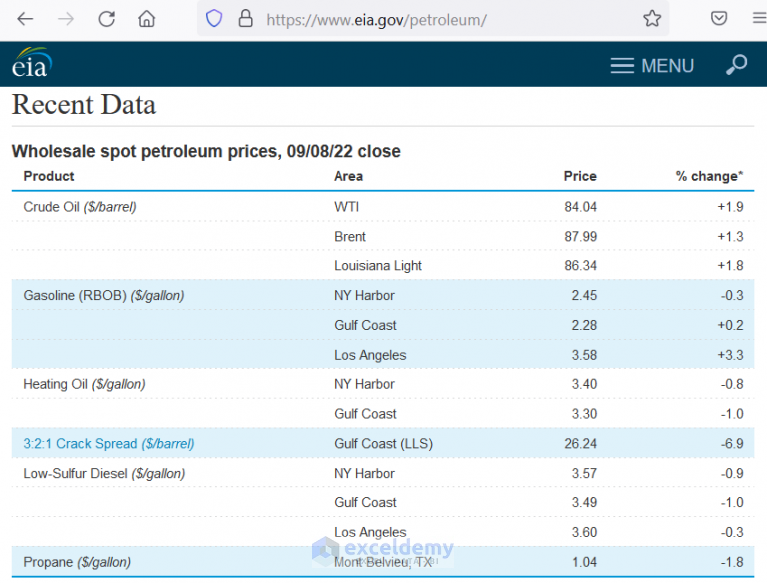
Building a robust web scraping script involves careful planning and execution. Understanding the website’s structure, anticipated data formats, and potential errors is crucial for successful data extraction. This section details the steps involved in constructing a script, along with considerations for handling diverse website structures and data formats. Error handling and robust techniques are emphasized to ensure reliable data acquisition.
The process of constructing a web scraping script is iterative. Begin by meticulously analyzing the target website’s structure and the specific data points you intend to extract. Identifying the HTML elements containing the desired information and evaluating the website’s structure for potential changes are essential initial steps. Consider the potential for dynamic content loading, as this requires additional techniques beyond static HTML parsing.
Script Development Steps
A well-structured script is essential for efficient data extraction. Begin by importing the necessary libraries. For example, Python’s `requests` library is often used for fetching web pages, while `BeautifulSoup` is used for parsing HTML or XML. These libraries provide the foundational tools for data retrieval and processing.
- Fetching the Web Page: The script begins by using the `requests` library to retrieve the target web page. This step involves specifying the URL of the page and handling potential errors like connection problems or timeouts. Appropriate timeouts are vital for preventing indefinite waits.
- Parsing the HTML: The retrieved HTML content needs to be parsed. Libraries like `BeautifulSoup` allow you to navigate and extract data from the parsed HTML structure. This involves identifying the tags and attributes that contain the desired information. Using CSS selectors can improve efficiency and maintainability.
- Data Extraction: The script extracts the required data from the parsed HTML. This step often involves iterating through elements and extracting attributes or text content. If the website uses JavaScript for dynamic content loading, use techniques like Selenium or Puppeteer for a more complete extraction.
- Data Cleaning and Transformation: The extracted data might need cleaning or transformation. This could involve handling missing values, formatting inconsistencies, or converting data types. For example, dates might need to be parsed from strings into a suitable date format. This is a critical step to ensure data quality.
- Error Handling: Implement robust error handling to address potential issues like network problems, website changes, or incorrect data formats. This includes `try-except` blocks to catch exceptions and provide informative error messages. Consider implementing retry mechanisms to handle transient errors.
Handling Diverse Data Formats and Website Structures
Web pages often employ various data formats and structures. Scripts need to be adaptable to different layouts. Dynamic websites may require different parsing techniques.
- Handling Dynamic Content: For websites that load content dynamically, utilize libraries like Selenium or Puppeteer to simulate browser interactions. This allows the script to render the page and extract data that is not directly available in the initial HTML source code. This technique is crucial for sites that use JavaScript for loading or updating page content.
- Dealing with Different Data Structures: Websites may present data in tables, lists, or other formats. The script must adapt its extraction logic accordingly. Use libraries like `BeautifulSoup` to parse the HTML, and implement logic to handle different data structures in the extraction process.
- Handling Multiple Pages: If the data is spread across multiple pages, the script needs to traverse these pages and aggregate the data. This might involve identifying links to subsequent pages and recursively fetching and processing them. Pagination logic is often necessary.
Error Handling and Robustness
Error handling is vital for reliable data extraction. Implement robust techniques to handle unexpected situations.
- Network Errors: Implement error handling for network problems (timeouts, connection issues). Use `try-except` blocks to catch these exceptions and potentially retry requests or log the errors.
- Website Changes: Websites frequently change their structure and content. The script should be designed to adapt to these changes, either through regular updates or flexible parsing logic.
- Data Validation: Include validation steps to ensure the extracted data is correct and consistent. This involves checking data types, ranges, and formats to avoid errors or inconsistencies.
Flowchart of Data Extraction Process
The flowchart would visually represent the steps from fetching the webpage to processing and storing the extracted data. It would show the flow of control, decision points (like checking for errors), and the different branches for handling various website structures and data formats.
Importing Data into Excel

Successfully extracting data from a website is only half the battle. The next crucial step is seamlessly importing that data into a format suitable for analysis and manipulation within Excel. This process involves converting the extracted data into a usable structure that Excel can readily understand.
Efficient data import allows for easy sorting, filtering, and analysis, transforming raw web data into meaningful insights. Different data formats require specific import techniques to ensure accurate and complete transfer.
Methods for Importing Data into Excel
Importing extracted data into Excel hinges on understanding the structure of the data. Whether it’s a simple list or a more complex table, the right import method is key to successful integration.
- Copy and Paste: For straightforward data sets, simply copying and pasting the extracted data into an Excel sheet is often sufficient. Ensure that the data is pasted in a contiguous area to avoid issues with data misalignment.
- Data Import Wizard: Excel’s built-in Data Import Wizard is invaluable for handling more complex data formats, especially those structured in CSV (Comma Separated Values), TSV (Tab Separated Values), or other delimited formats. This wizard guides you through selecting the appropriate delimiter, specifying the data type of each column, and ensuring correct data import.
- Text to Columns: This feature is essential for data with inconsistent delimiters or complex formatting. It allows you to manually specify the delimiters or other characters that separate data within a cell, and helps to transform data into usable columns. This process is particularly helpful when the extracted data is in a single column with various pieces of information separated by spaces or commas.
Data Formatting Considerations
Different data sources present data in various formats. Understanding these nuances is critical for effective import.
- Delimited Data (CSV, TSV): Data separated by commas (CSV) or tabs (TSV) is easily imported using the Data Import Wizard or Text to Columns. Ensure the correct delimiter is selected during the import process. For example, if the data is separated by semicolons, the import process should reflect that.
- Fixed-Width Data: In fixed-width data, the position of each data point is fixed. Excel’s Text to Columns feature can handle this format by specifying the width of each column. A clear example is when numerical values and text data are separated by a fixed number of spaces or tabs. The import wizard allows for specifying the exact width of each column, allowing for proper extraction of data.
- HTML Data: Data extracted from HTML often requires more advanced techniques. Excel’s import tools can’t automatically handle complex HTML structures. Extracting data from HTML tables using web scraping tools typically outputs data in delimited formats, making subsequent import processes straightforward.
Converting Extracted Data for Excel
Successfully converting extracted data into a usable format for Excel is critical for subsequent analysis. The key is ensuring the extracted data aligns with Excel’s data structure.
- Data Cleaning: Often, the data extracted from websites contains unwanted characters, extra spaces, or inconsistencies. Cleaning this data, removing errors and inconsistencies, ensures data accuracy in Excel. This process may involve removing extra spaces, replacing special characters, or handling null values.
- Data Transformation: Converting data types (e.g., converting strings to numbers) ensures that Excel recognizes and treats the data appropriately. This is especially crucial when dealing with numerical data that might be extracted as text strings.
- Data Validation: Applying data validation rules to imported data helps maintain data integrity. This could include setting data types, specifying acceptable values, or enforcing length restrictions. For example, you could enforce that a date column only accepts valid dates or that a numerical column only contains positive numbers.
Handling Dynamic Content and AJAX Requests

Extracting data from websites with dynamic content, often updated via JavaScript and AJAX requests, presents a unique challenge. Traditional web scraping methods, which primarily focus on static HTML, are insufficient for these situations. This section will delve into techniques for effectively handling such dynamic data, enabling a comprehensive data extraction process.
Many websites today employ dynamic content and AJAX requests to update their pages without a full page reload. This means the data you see on the page isn’t initially present in the HTML source code. Consequently, traditional scraping methods will fail to capture this data. This section addresses these challenges by exploring techniques for handling dynamic content and AJAX requests.
Simulating User Interactions with Selenium
Selenium is a powerful tool for automating browser interactions. By simulating user actions like clicking buttons or filling forms, Selenium can retrieve the updated HTML, revealing the dynamically loaded data. This enables the extraction of data that would otherwise be inaccessible using traditional methods. Crucially, Selenium can handle JavaScript rendering, which is fundamental for dealing with dynamic web pages.
Handling AJAX Requests
AJAX requests, frequently used to fetch data from a server without a full page refresh, are a crucial aspect of modern web development. Various libraries and tools are available to intercept and process these requests. These tools are often used in conjunction with web scraping libraries to gather the data loaded by these requests. The choice of tools will depend on the complexity of the website’s AJAX requests.
Example: Extracting Product Data from an E-commerce Website
Consider an e-commerce website displaying product details dynamically. Using Selenium, we can simulate a user navigating to a product page and then extracting the data.
- First, we would use a web driver (like ChromeDriver) to open the browser and navigate to the product page.
- Then, we’d identify elements on the page using Selenium’s methods to locate them, for instance, a button to load more product details.
- Selenium would simulate a click on this button, triggering the AJAX request that fetches the complete product data.
- Finally, we extract the required information from the dynamically loaded HTML, such as product name, price, and description.
This method ensures that we retrieve the most up-to-date information available on the product page, unlike traditional methods which might only capture static data. The specific implementation details would vary based on the target website’s structure.
Using Libraries for AJAX Request Handling
Several Python libraries are available for interacting with AJAX requests. These libraries can be used in combination with Selenium or other scraping tools to enhance the extraction process.
- Libraries like `requests` can be used to make HTTP requests, which are essential for interacting with AJAX endpoints.
- These libraries often offer tools for handling the headers and parameters specific to AJAX requests.
- This approach helps streamline the extraction process for dynamic data.
Important Considerations for Dynamic Data Extraction
- Website Structure: Understanding the website’s structure, including the way data is loaded dynamically, is critical. This helps in selecting the most effective approach for data extraction.
- Rate Limiting: Websites often implement rate limiting to prevent excessive requests. It is crucial to respect these limits to avoid getting blocked.
- Error Handling: Implementing robust error handling is essential to manage potential issues during the scraping process, such as network problems or website changes.
By employing these techniques and tools, data extraction from dynamic websites becomes a manageable task. This comprehensive approach allows for the retrieval of the most recent and accurate information available.
Data Cleaning and Preprocessing
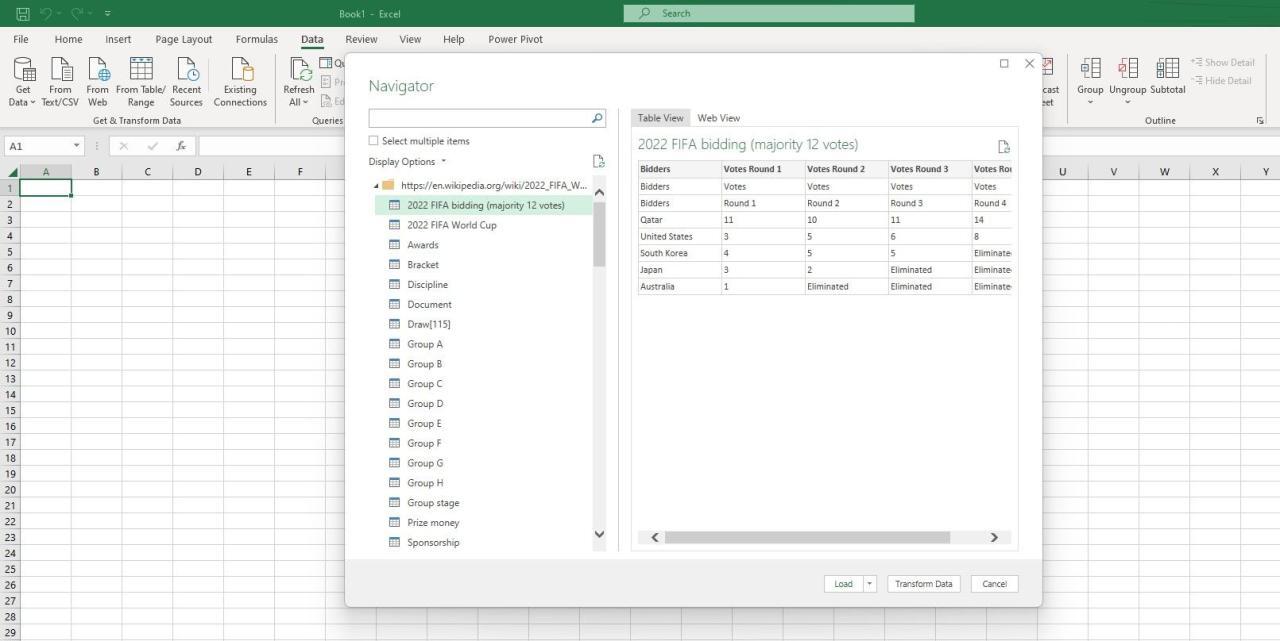
Raw data extracted from websites often contains inconsistencies, errors, and irrelevant information. This necessitates a crucial step of data cleaning and preprocessing before utilizing the data for analysis or decision-making. Effective data cleaning ensures data accuracy and reliability, while preprocessing prepares the data for efficient processing by tools and algorithms.
Data cleaning and preprocessing transform raw data into a structured, consistent, and usable format. This process involves identifying and addressing various issues within the data, such as missing values, inconsistencies in formats, and irrelevant entries. The goal is to produce a dataset that is suitable for analysis, modeling, and reporting.
Importance of Data Cleaning and Preprocessing
Data cleaning and preprocessing are essential for ensuring the quality, reliability, and usability of extracted data. They reduce errors, inconsistencies, and irrelevant information, which can significantly impact the accuracy and validity of subsequent analyses. Clean data allows for more accurate insights and reliable predictions.
Common Data Cleaning Techniques
Several techniques are commonly employed for data cleaning. These techniques include handling missing values, removing duplicates, correcting inconsistencies, and transforming data types. These methods contribute to a more consistent and accurate dataset.
- Handling Missing Values: Missing data can arise from various sources, such as user errors or incomplete data collection. Strategies for handling missing values include imputation (replacing missing values with estimated values) or removal (deleting rows or columns containing missing values). The choice depends on the nature of the missing data and the potential impact on the analysis.
- Removing Duplicates: Duplicate data entries can skew results and lead to inaccurate conclusions. Identifying and removing duplicate entries is crucial for ensuring data integrity and preventing misleading analysis.
- Correcting Inconsistent Data Formats: Inconsistent formats, such as different date formats or variations in capitalization, can hinder data analysis. Standardizing these formats enhances data consistency and allows for seamless processing.
- Data Transformation: Data transformation involves converting data from one format to another. This could include converting dates to numerical values or changing the units of measurement.
Examples of Cleaning and Preprocessing Steps
These examples illustrate data cleaning and preprocessing using Excel and Python libraries. The choice of tools depends on the size and complexity of the dataset.
- Excel: In Excel, you can use the ‘Find and Replace’ function to correct inconsistencies in data formats. For example, replacing “USD” with “$” or converting different date formats into a consistent format. Conditional formatting can help identify and highlight unusual data entries, aiding in data validation and quality control.
- Python (Pandas): Python’s Pandas library offers powerful tools for handling missing values, duplicates, and data transformations. For instance, you can use `fillna()` to impute missing values, `drop_duplicates()` to remove duplicates, and `astype()` to convert data types.
Raw vs. Cleaned Data
The following table demonstrates the differences between raw extracted data and the cleaned data.
| Data Type | Raw Extracted Data | Cleaned Data |
|---|---|---|
| Product Name | Laptop 15′ , DeskTop 24” | Laptop 15 Inch, Desktop 24 Inch |
| Price | $1299.99, $899.00, $1,200.00 | $1299.99, $899.00, $1200.00 |
| Date | 10/26/2023, 11-15-2023 | 10/26/2023, 11/15/2023 |
| Rating | 4.5 stars, 4.7, 5 stars | 4.5, 4.7, 5.0 |
Raw data often contains inconsistencies and variations in formats. Cleaned data, however, is standardized, consistent, and ready for further analysis. The table showcases the transformation from raw to a more usable format.
Advanced Web Scraping Techniques
Advanced web scraping techniques are crucial for effectively extracting data from websites, especially when dealing with complex structures, security measures, and limitations imposed by the target site. This section explores strategies for overcoming obstacles encountered during the scraping process, ensuring smooth data retrieval and avoiding potential issues.
Navigating the complexities of modern websites requires a nuanced approach to data extraction. Websites often implement measures to deter automated scraping, such as CAPTCHAs, rate limiting, and dynamic content loading. Understanding these techniques and employing appropriate countermeasures is essential for successful web scraping.
Handling CAPTCHAs
CAPTCHA (Completely Automated Public Turing test to tell Computers and Humans Apart) is a security measure designed to distinguish between human and automated users. Websites use CAPTCHAs to prevent automated scraping and malicious activities. Various types of CAPTCHAs exist, each requiring a specific approach for successful resolution.
- Text-based CAPTCHAs: These are the simplest CAPTCHAs, typically requiring users to identify distorted or partially hidden text. Tools and libraries often provide methods to recognize these CAPTCHAs using optical character recognition (OCR) techniques. For example, libraries like Tesseract OCR can be employed to accurately identify and extract the text from the CAPTCHA.
- Image-based CAPTCHAs: These CAPTCHAs present distorted images, requiring users to identify specific objects or patterns within the image. Advanced techniques involving image processing and machine learning algorithms are often necessary to effectively handle these. For instance, deep learning models can be trained to recognize patterns in the images and accurately identify the required characters or objects.
- Interactive CAPTCHAs: These CAPTCHAs require users to perform specific actions, such as dragging and dropping objects or clicking on specific elements within the image. Specific strategies tailored to the interactive nature of the CAPTCHA are necessary to successfully resolve them. This usually involves mimicking human interactions using a browser automation framework or library.
Rate Limiting and Avoiding Blocking
Websites often implement rate limiting to control the frequency of requests from a single IP address or user agent. Excessive requests can overload the website’s resources, leading to account suspension or temporary blocking. Implementing appropriate delays and rotating user agents can help mitigate this issue.
- Rate Limiting Strategies: Implementing delays between requests, utilizing proxies, and rotating user agents are crucial for avoiding rate limiting. This ensures that requests are sent at a controlled pace, preventing the website from detecting unusual activity.
- Rotating User Agents: Varying the user agent string during scraping sessions helps to disguise the automated nature of the requests, making it harder for the website to identify and block the requests. Libraries often offer methods for selecting or generating different user agents.
- Utilizing Proxies: Using proxies allows requests to originate from different IP addresses, further obscuring the automated nature of the scraping process. This can help avoid blocking and maintain consistent access to the website.
Handling Website Restrictions
Websites employ various restrictions to protect their data and resources from unauthorized access. Understanding these restrictions and implementing appropriate countermeasures is crucial for effective web scraping.
- Dynamic Content and AJAX Requests: Modern websites frequently use dynamic content loading and AJAX requests to update content without reloading the entire page. Advanced scraping techniques are necessary to handle these situations. This includes using browser automation frameworks like Selenium or Puppeteer to interact with the page in a manner that mimics human browsing behavior.
- Cookies and Session Management: Websites often use cookies and sessions to track user activity. Managing these cookies and sessions is crucial for maintaining a valid session during scraping, allowing access to the data. Libraries provide methods to handle cookies and sessions.
Best Practices and Ethical Considerations
Ethical web scraping is crucial for responsible data collection. It involves respecting website owners’ terms of service, avoiding overwhelming their servers, and adhering to established protocols. This section Artikels best practices for ethical web scraping, emphasizing the importance of responsible data extraction.
Respecting Website Terms of Service
Websites often have terms of service that explicitly address web scraping. These terms may restrict or prohibit automated data collection. Carefully reviewing and adhering to these terms is paramount. Failure to do so can lead to legal repercussions and account suspension. Understanding the specific stipulations of each website’s terms of service is vital before initiating any scraping process.
Thorough review ensures compliance and avoids potential issues.
Avoiding Overloading Websites with Requests
Excessive requests from a scraper can overwhelm a website’s servers, leading to slowdowns, service disruptions, or even a complete shutdown. Employing delays and rate limiting mechanisms is essential. Rate limiting controls the frequency of requests sent to the website, preventing a flood of requests. Appropriate delays between requests give the website’s server time to process them without being overloaded.
These practices ensure a smooth and efficient scraping process without negatively impacting the website.
Using Robots.txt Files for Ethical Scraping
Every website typically has a robots.txt file that specifies which parts of the site should not be scraped. This file acts as a guide for automated crawlers, indicating allowed and disallowed areas. Inspecting the robots.txt file before initiating the scraping process is critical. By adhering to the directives within the robots.txt file, you respect the website’s wishes and avoid scraping content that might be prohibited.
Understanding and following these guidelines demonstrates ethical scraping practices and ensures smooth interaction with the website’s resources.
Implementing Rate Limiting and Delay Mechanisms
Rate limiting and delays are crucial for ethical web scraping. Rate limiting controls the frequency of requests, preventing overwhelming the website’s server. Employing appropriate delays between requests allows the server to process requests efficiently and avoid overloading. A well-structured rate limiting strategy ensures that requests are spaced out, preventing the scraper from generating excessive load on the website’s infrastructure.
This is a key component of responsible web scraping. For example, if a website allows a maximum of 10 requests per minute, a scraper should ensure that it doesn’t exceed this limit.
Conclusion
In conclusion, this guide has provided a comprehensive overview of web scraping techniques for extracting data from websites and importing it into Excel. By mastering the steps Artikeld, you can effectively gather, process, and analyze data from various online sources. Remember to always adhere to ethical guidelines and respect website terms of service. With this knowledge, you are empowered to transform raw online data into valuable insights for informed decision-making.