Data import from text and CSV files is a fundamental task in various applications, from simple data analysis to complex data processing. This guide provides a comprehensive overview of the process, covering everything from choosing the right tools to handling large datasets and resolving potential errors. Understanding the nuances of data import empowers you to efficiently integrate data from diverse sources into your workflows.
This document will explore the crucial steps involved in importing data from text and CSV files. We will discuss selecting appropriate tools, reading data from different file formats, and handling potential issues during the process. Finally, we will present techniques for optimizing the process and ensuring data integrity.
Introduction to Data Import
Data import from text and CSV files is a fundamental process in data analysis and management. It involves transferring data from external sources, such as text files or comma-separated value (CSV) files, into a program or system for further processing, analysis, or storage. This crucial step enables users to work with data in various formats, facilitating the extraction of valuable insights and the creation of informed decisions.This process is essential for various applications, from simple data analysis tasks to complex business intelligence projects.
The imported data can then be used for reporting, visualization, and machine learning, ultimately enhancing decision-making processes.
Common Use Cases for Importing Data
Importing data from text and CSV files is a critical step in numerous applications. Data analysis projects often begin with the import of data from these files. For example, a marketing team might import customer data from a CSV file to analyze purchasing patterns. Likewise, researchers might import experimental results from a text file to conduct statistical analysis.
Furthermore, businesses frequently use data import to integrate data from various sources into a central system for a holistic view of their operations.
Importance of Data Import in Various Applications
Data import is crucial in diverse applications due to its ability to streamline data management and analysis. In business, it enables the efficient consolidation of data from disparate sources, providing a comprehensive view of the organization’s performance. This consolidated data allows for better decision-making and the development of effective strategies. In scientific research, data import is essential for analyzing experimental results, facilitating the testing of hypotheses and the advancement of knowledge.
Importantly, the process ensures consistency in data format and structure, allowing for accurate analysis and reporting.
Different Data Formats and Their Suitability for Import
Numerous data formats exist, each with its own characteristics and suitability for import. Text files are generally simple, and their structure allows for straightforward import. CSV files, with their comma-separated values, are widely used for tabular data. Excel spreadsheets, though not a simple text format, can often be saved as CSV for import into various programs. JSON (JavaScript Object Notation) is another common format, well-suited for structured data and often used for web applications and data exchange.
The selection of the appropriate format depends on the source of the data and the intended use of the imported data.
Sample Text and CSV File Representations
The following table illustrates a simple text file and its equivalent CSV representation. This demonstration highlights the basic structure of each format.
| Text File | CSV File |
|---|---|
| Name,Age,City | Name,Age,City |
| Alice,25,New York | Alice,25,New York |
| Bob,30,London | Bob,30,London |
| Charlie,28,Paris | Charlie,28,Paris |
Choosing the Right Tool
Selecting the appropriate programming language and library for importing data from text or CSV files is crucial for efficient and accurate data processing. The choice depends on factors such as the size of the data, the complexity of the data structure, and the user’s familiarity with different programming environments. Different tools offer varying levels of performance, ease of use, and feature sets.
Careful consideration of these aspects will lead to a more productive and streamlined data import process.
Python for Data Import
Python’s extensive ecosystem of libraries makes it a popular choice for data import tasks. The `pandas` library, in particular, excels at handling tabular data, providing a high-level interface for reading and manipulating data from various sources, including CSV and text files. Its intuitive syntax and robust functionalities make it suitable for both beginners and experienced data scientists.
- Pandas offers functions like `read_csv()` and `read_table()` for importing data from CSV and delimited text files, respectively. These functions allow specifying delimiters, header rows, and other parameters for flexible data import.
- Other libraries like `NumPy` provide efficient numerical operations on imported data, making it suitable for large datasets. NumPy arrays are well-suited for numerical computations, which often form a crucial part of data analysis workflows.
- Python’s versatility extends to specialized libraries like `csv` for working directly with CSV files, offering more control over the parsing process. This is especially helpful when dealing with complex CSV structures or custom delimiters.
R for Data Import
R is another powerful language widely used for statistical computing and data analysis. The `readr` package, built on the `readr` library, provides a fast and efficient way to read data from various formats, including CSV and text files. `readr` is known for its speed and efficiency, particularly when handling large datasets.
- The `read.csv()` function in base R is also a common method for importing CSV data. While straightforward, it may not be as optimized as `readr` for large files.
- R’s `read.table()` function provides flexibility for importing data from delimited text files. Users can specify the delimiter, header row, and other parameters to adapt to different data formats.
JavaScript for Data Import
JavaScript, commonly used for web development, also has libraries suitable for data import. Node.js, the runtime environment for JavaScript, allows for the use of various packages for data import tasks. The `csv-parser` package is a popular choice for parsing CSV data. It provides a straightforward approach to extract data from CSV files.
- Libraries like `papaparse` offer a comprehensive approach to parsing CSV data in JavaScript, providing various options for handling different data formats and structures. It’s often a preferred choice for web-based applications that require data processing from external sources.
- For handling text files, JavaScript can employ `fs` (file system) modules in Node.js for reading and processing data line by line. This approach is valuable when the data structure isn’t strictly tabular or when custom parsing logic is required.
Comparison Table
| Library/Package | Language | Pros | Cons | Key Features |
|---|---|---|---|---|
| pandas (Python) | Python | High-level interface, intuitive syntax, robust functionalities, well-suited for tabular data | Steeper learning curve for some users | Data manipulation, CSV/text file import, data cleaning |
| readr (R) | R | Fast and efficient, especially for large datasets, optimized for data import | Potentially less versatile for non-tabular data than Python’s libraries | Efficient CSV/text file import, data manipulation |
| csv-parser (JavaScript) | JavaScript | Suitable for web-based applications, easy parsing, good for CSV data | Might be less mature for complex data manipulation compared to Python or R | CSV parsing, handling large files |
Installation and Configuration
The installation and configuration steps vary depending on the chosen language and library. For Python, use `pip` to install `pandas` and other necessary libraries. For R, use the package manager (`install.packages()`). JavaScript libraries often require installation via package managers like npm for Node.js. Documentation for each library typically provides detailed instructions.
Understanding the specific requirements of each tool will ensure smooth installation and configuration.
Reading Text Files

Reading data from text files is a fundamental task in data analysis. Text files, often in CSV or plain text formats, store data in rows and columns, making them a common source for importing data into various analysis tools. Understanding how to read these files, including handling different delimiters and data types, is crucial for successful data import.
Reading Data from Text Files
Text files are structured using delimiters, such as commas (,), tabs (\t), or semicolons (;), to separate data points in each row. The process of reading involves identifying these delimiters, parsing the file line by line, and extracting the individual data values. Tools and libraries are available to automate this process. Appropriate libraries and programming languages can streamline this process, offering functions to handle file reading and data parsing efficiently.
Handling Different Delimiters and Separators
Different text files may use various delimiters. This section describes the importance of recognizing these delimiters and adjusting the import process accordingly.
- Comma-separated values (CSV) files typically use commas to separate data fields.
- Tab-separated values (TSV) files use tabs as delimiters.
- Other delimiters, like semicolons, pipes (|), or any custom character, can be used depending on the file format.
Import tools often offer configurable options to specify the delimiter used in the file, allowing the program to interpret the data correctly.
Managing Data Types During Import
Data within text files can have different data types, including numeric, string, date, and boolean. Import tools need to correctly identify and handle these types. Incorrect handling can lead to errors in analysis.
- Numerical values need to be parsed as numbers for calculations and statistical analysis.
- String values, such as names or addresses, should be handled as text strings.
- Date values should be parsed into a suitable date format, such as YYYY-MM-DD, for time-series analysis.
- Boolean values, typically represented by “true” or “false,” need to be recognized as logical values.
Robust import tools should provide mechanisms for specifying the data types of each column to ensure accurate data import.
Example of Reading a Text File
This example demonstrates reading a simple text file (data.txt) with a specific format and outputting the data in a structured format.“`Name,Age,CityAlice,30,New YorkBob,25,LondonCharlie,35,Paris“““pythonimport csvdef read_text_file(filename, delimiter=’,’): data = [] with open(filename, ‘r’, encoding=’utf-8′) as file: reader = csv.reader(file, delimiter=delimiter) next(reader) # Skip the header row for row in reader: name = row[0] age = int(row[1]) city = row[2] data.append(‘Name’: name, ‘Age’: age, ‘City’: city) return datafile_data = read_text_file(‘data.txt’)for person in file_data: print(person)“`This Python code uses the `csv` module to read the CSV file.
The `read_text_file` function takes the filename and delimiter as input, skipping the header row and appending the data to a list of dictionaries.
Different Text File Formats and Reading Methods
The table below showcases different text file formats and the methods used to read them, often relying on libraries like `csv` in Python.
| File Format | Delimiter | Reading Method |
|---|---|---|
| CSV | Comma (,) | `csv.reader` |
| TSV | Tab (\t) | `csv.reader` with `delimiter=’\t’` |
| Fixed-width | Fixed positions | Manual parsing or libraries for fixed-width formats |
| JSON | Key-value pairs | `json.load` or `json.loads` |
Different formats require different parsing methods.
Reading CSV Files
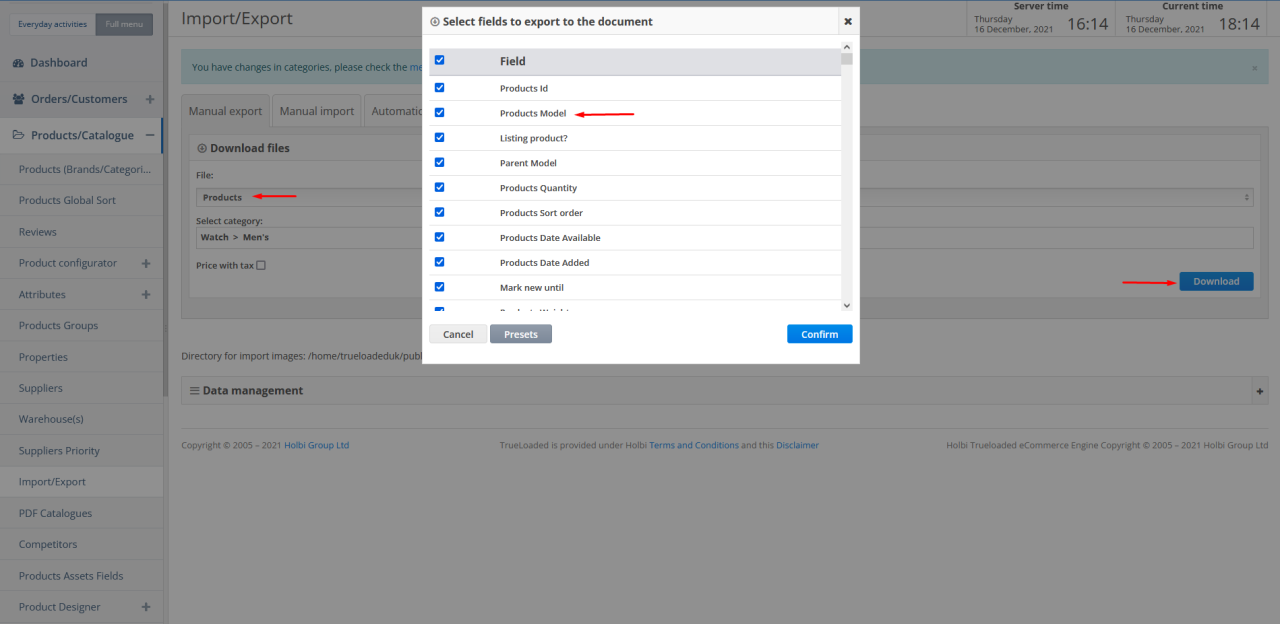
CSV (Comma Separated Values) files are a common format for storing tabular data. They are easily readable by various programming languages and tools. This section details how to read data from CSV files, handle potential issues like delimiters and missing values, and presents an example of importing and processing CSV data.
Procedure for Reading CSV Data
The process of reading data from a CSV file typically involves these steps:
- Identifying the file path: Specify the location of the CSV file on your system.
- Selecting a suitable library: Choose a library or function in your programming language that can read CSV files. Many programming languages provide built-in or readily available libraries for this purpose.
- Opening the file: Open the CSV file using the selected library’s function.
- Reading each line: Iterate through each line in the file. Each line typically represents a row of data.
- Parsing the data: Divide each line into individual data points based on the delimiter. This step often involves using string manipulation functions to split the line at the specified delimiter.
- Storing the data: Store the parsed data in a structured format, such as a list of lists or a dictionary.
- Closing the file: After processing, close the file to release resources.
Specifying the Delimiter
CSV files use a delimiter (typically a comma) to separate data points within each row. The choice of delimiter is crucial. Incorrect delimiter selection can lead to errors in data parsing. For instance, a file using semicolons as delimiters needs to be handled differently than one using commas.
- Default delimiter: The most common delimiter is a comma (,). However, other characters can be used, such as semicolons (;), tabs (\t), or pipes (|).
- Customizing the delimiter: Programming languages and libraries typically allow users to specify the delimiter when reading the CSV file. This ensures correct data parsing regardless of the delimiter used in the file.
Handling Missing Values
Missing values are common in CSV files and need careful consideration. Methods for handling them vary depending on the context and the programming language.
- Identifying missing values: Missing values can be represented by empty strings, special characters (e.g., “?” or “NA”), or simply a blank space. It is crucial to recognize these patterns in the data.
- Handling missing values: Libraries often provide methods to replace missing values with a default value (e.g., 0, NaN) or to skip rows containing missing values. In other cases, missing values might be interpreted as specific data points (like an absence of data).
Example: Reading a CSV File
Consider a CSV file containing customer data with columns for “CustomerID,” “Name,” and “City.” The data is separated by semicolons.“`CustomerID;Name;City
- ;Alice;New York
- ;Bob;Los Angeles
- ;;Chicago
- ;Charlie;San Francisco
“`
import csvdef read_csv_file(file_path, delimiter=";"):
data = []
try:
with open(file_path, 'r', encoding='utf-8') as file:
reader = csv.reader(file, delimiter=delimiter)
next(reader) # Skip the header row
for row in reader:
customer_id = int(row[0])
name = row[1]
city = row[2]
data.append('CustomerID': customer_id, 'Name': name, 'City': city)
except FileNotFoundError:
print(f"Error: File 'file_path' not found.")
return None
except Exception as e:
print(f"An error occurred: e")
return None
return data# Example usage
file_path = 'customer_data.csv'
customer_data = read_csv_file(file_path)
if customer_data:
for customer in customer_data:
print(customer)
```This code snippet reads the CSV file, handles potential errors, and presents the data in a structured format. Different data types (integers, strings) are correctly parsed.
HTML Table Example
| CSV File | Delimiter | Import Procedure |
|---|---|---|
| customer_data.csv | ; | Use csv.reader(file, delimiter=';') |
| product_data.csv | , | Use csv.reader(file, delimiter=',') |
| sales_data.csv | \t | Use csv.reader(file, delimiter='\t') |
Data Cleaning and Preprocessing
After successfully importing data from a text or CSV file, the next crucial step is data cleaning and preprocessing. This phase ensures the data is accurate, consistent, and suitable for analysis. Inconsistent formats, missing values, and erroneous data can significantly impact the reliability of any subsequent analysis. Thorough cleaning and preprocessing are essential for extracting meaningful insights.
Data imported from external sources often contains inconsistencies. These inconsistencies may stem from varying data entry practices, differing file formats, or simply human error. Addressing these issues is vital to maintaining data quality and reliability.
Common Data Import Issues
Data import processes can encounter various issues, including inconsistencies in data formats, missing values, and erroneous entries. These issues need to be identified and resolved before proceeding with analysis. Incorrect data types, extra whitespace, or inconsistencies in capitalization can all lead to problems during analysis. Handling these issues effectively is critical for producing reliable results.
Handling Inconsistent Data Formats
Inconsistent data formats are a common issue in data import. For instance, different files might use varying date formats or use different separators. Techniques to address these issues include:
- Format standardization: This involves converting all data to a consistent format. For example, dates could be standardized to YYYY-MM-DD. Libraries like Pandas in Python offer tools for easy date and time conversion.
- Data type conversion: Ensure that data is in the appropriate data type. For example, a column intended for numerical values might contain strings or symbols. Converting data types is crucial for accurate analysis. Tools like Pandas in Python allow data type conversion using functions like `astype`.
- Data validation: Establishing rules to check the validity of the data is critical. This ensures that data conforms to expected patterns. For instance, checking if a column containing ages has only positive values. This helps prevent erroneous data from entering the analysis process.
Handling Missing or Erroneous Data
Missing or erroneous data points are common in imported datasets. These issues can lead to inaccurate results if not addressed. Methods for handling missing or erroneous data include:
- Imputation: Filling in missing values with estimated values. This can involve using the mean, median, or mode of the existing data. For example, if a column contains missing values for income, you could fill in the missing values with the average income in the dataset.
- Deletion: Removing rows or columns containing missing or erroneous values. This is often a last resort as it may result in loss of valuable data. This approach is only suitable if the missing data is insignificant compared to the total data.
- Error correction: Manually fixing errors when possible. This often requires careful examination of the data and understanding of the data's source.
Example: Data Cleaning Steps
Let's consider a text file containing customer data with columns for customer ID, name, age, and purchase amount.
```
CustomerID,Name,Age,PurchaseAmount
1,John Doe,30,150.50
2,Jane Smith,25,200.00
3,David Lee,,100.75
4,Peter Jones,40,
5,Mary Brown,22,300.50
```
- Step 1: Data import Import the data using a suitable tool (e.g., Python's Pandas library).
- Step 2: Data inspection Examine the imported data for inconsistencies. Notice missing values in the 'Age' and 'PurchaseAmount' columns.
- Step 3: Data type conversion Convert the 'PurchaseAmount' column to numeric type.
- Step 4: Missing value imputation Impute missing 'Age' values with the median age and missing 'PurchaseAmount' values with 0.
- Step 5: Data validation Check for valid age ranges. If any age is outside a reasonable range (e.g., negative), investigate and correct.
Data cleaning is an iterative process. Repeatedly review, assess, and adjust the cleaning steps based on the analysis needs and the quality of the data.
Data Validation
Data validation is a crucial step in the data import process, ensuring the accuracy and reliability of the imported data. Incorrect or inconsistent data can lead to flawed analyses, misleading conclusions, and ultimately, poor decision-making. Thorough validation minimizes these risks by identifying and correcting errors before they propagate through the system.
Importance of Data Validation
Data validation is essential to ensure the integrity and reliability of the imported data. Errors in imported data can significantly impact downstream analyses and decision-making. Inaccurate data can lead to skewed results, misleading conclusions, and potentially costly errors in business operations. By implementing robust validation procedures, organizations can safeguard the quality of their data and build trust in the insights derived from it.
Techniques for Checking Data Integrity and Accuracy
Various techniques can be employed to verify the accuracy and integrity of imported data. These methods range from simple checks to complex algorithms, depending on the nature of the data and the desired level of accuracy. Common techniques include:
- Data Type Validation: Ensuring that each field contains the expected data type (e.g., numbers, dates, text). For instance, a field intended for ages should only accept numeric values.
- Range Validation: Verifying that values fall within an acceptable range. For example, a field for temperature should be limited to values between -50 and 150 degrees Celsius.
- Format Validation: Checking for the correct format of data, such as date formats (e.g., YYYY-MM-DD), email addresses, or phone numbers.
- Uniqueness Validation: Ensuring that values in specific fields are unique. For example, customer IDs should not repeat in a customer database.
- Consistency Validation: Checking for consistency between related fields. For example, the state entered in an address field should match the state entered in a billing address field.
- Logical Validation: Checking if the data makes logical sense. For example, an order date cannot be after the delivery date.
Identifying and Correcting Errors in Imported Data
Identifying and correcting errors is a critical aspect of data validation. A variety of methods can be employed to detect and rectify issues. These methods can range from simple error messages to complex algorithms for data correction. Some approaches include:
- Error Detection: Employing validation rules to flag unusual or incorrect values.
- Data Cleaning Tools: Utilizing software tools specifically designed to cleanse and correct data.
- Manual Review: In some cases, a manual review of the data is necessary to identify and correct more complex errors.
- Data Transformation: Converting or standardizing data to match the desired format.
Practical Example of Validating Data from a CSV File
Consider a CSV file containing customer data with columns for "CustomerID," "Name," and "Age." To validate the data, we can implement the following rules:
- CustomerID should be a unique integer.
- Name should be a string of at least 2 characters.
- Age should be a positive integer between 0 and 120.
| CustomerID | Name | Age | Validation Result |
|---|---|---|---|
| 1 | John Doe | 30 | Valid |
| 2 | Jane Doe | -5 | Invalid (Age out of range) |
| 1 | J | 45 | Invalid (Name too short) |
Creating Validation Rules for Imported Data in a Table
Validation rules can be defined in a table to clearly Artikel the constraints for each data field. This approach allows for a standardized and easily understandable approach to data validation.
| Field Name | Data Type | Validation Rule | Error Message |
|---|---|---|---|
| CustomerID | Integer | Unique | Duplicate CustomerID |
| Name | String | Length ≥ 2 | Name too short |
| Age | Integer | 0 ≤ Age ≤ 120 | Age out of range |
Handling Large Datasets

Importing large datasets from text or CSV files presents unique challenges compared to smaller ones. Efficiency becomes paramount, requiring careful consideration of import strategies and memory management techniques. This section details methods for optimizing the process, leveraging libraries, and comparing different approaches to ensure smooth and speedy data ingestion.
Strategies for Efficient Importing
Optimizing import speed and memory usage for large datasets is crucial for effective data analysis. Strategies involve careful selection of tools and techniques tailored to the dataset's size and structure. This necessitates an understanding of the file format and potential memory constraints.
- Chunking the Data:
- Instead of loading the entire file into memory at once, the data can be read in smaller, manageable chunks. This significantly reduces memory demands, enabling processing of extremely large files that would otherwise cause memory overload. Iterating through these chunks allows for processing and storage of data in manageable portions, preventing memory exhaustion.
- Using Libraries Designed for Large Datasets:
- Libraries like Dask and Vaex offer optimized data structures and functions for working with large datasets that reside on disk or in distributed environments. These libraries excel at handling the computational demands of large-scale data manipulation without loading everything into RAM.
Techniques for Optimizing Import Speed
Numerous techniques can accelerate the import process for large datasets, particularly when dealing with extensive data volumes. These methods ensure efficient data retrieval and transformation.
- Utilizing File Compression:
- Large datasets are often compressed to reduce file size. Importing the compressed file, rather than the raw data, can dramatically improve import times, as the compressed data needs less memory to load initially. This often results in faster loading and reduced resource consumption.
- Employing Parallelization Techniques:
- Parallelization allows for concurrent processing of data chunks, significantly reducing the overall import time. Python libraries like Pandas can leverage multithreading or multiprocessing to improve speed in specific scenarios. This approach is particularly beneficial when dealing with datasets exceeding available RAM.
Libraries for Handling Large Files
Several libraries offer specialized capabilities for efficiently handling large datasets in various programming languages. These libraries often excel in processing data without needing to load the entire dataset into memory at once.
- Python Libraries:
- Libraries like Dask, Vaex, and Pandas (with optimized techniques) are specifically designed for handling large datasets. Dask allows for parallel computation on data distributed across multiple machines or partitions. Vaex leverages optimized data structures and algorithms to enable efficient analysis of very large datasets without loading the entire dataset into memory. Pandas, when combined with appropriate strategies, can also handle large files effectively.
Comparison of Methods for Importing Large Datasets
A table comparing different methods for importing large datasets highlights their respective advantages and disadvantages. Choosing the right method depends on the specific dataset and available resources.
| Method | Description | Advantages | Disadvantages |
|---|---|---|---|
| Chunking | Reads data in small portions | Reduces memory footprint, suitable for large files | Increased processing time, requires iterative logic |
| Compression | Imports compressed files | Faster loading, reduced memory usage | Requires decompression, may not always be applicable |
| Parallelization | Processes data concurrently | Significant speed improvements, especially for large datasets | Requires additional infrastructure, can be complex to implement |
| Specialized Libraries | Utilize optimized data structures | Efficient handling of large datasets, high performance | Steeper learning curve, potential dependency issues |
Memory Management Strategies
Memory management is crucial when handling large data imports. Effective strategies can prevent crashes and ensure efficient use of available resources.
- Garbage Collection:
- Utilize the automatic garbage collection mechanisms provided by the programming language or libraries. Regular garbage collection helps reclaim memory occupied by no longer needed data structures.
- Data Structures Selection:
- Choosing appropriate data structures (e.g., optimized data types in the library) for storing the data reduces memory consumption. Consider the dataset's characteristics when making choices to minimize memory usage.
Error Handling and Debugging
Data import processes, while often straightforward, can encounter unexpected issues. Robust error handling is crucial to ensure data integrity and prevent disruptions to downstream analyses. This section details strategies for identifying, resolving, and preventing errors during the data import process, along with practical examples and debugging techniques.
Strategies for Handling Potential Errors
Effective error handling involves anticipating potential problems and implementing mechanisms to manage them gracefully. This proactive approach prevents data loss and allows for informed decision-making during the import process. By implementing error handling, you can identify the source of issues and either correct them or provide a suitable alternative.
- Input Validation: Before importing, validate the format and content of the input data. This involves checking for expected data types, ranges, and patterns. This early validation helps prevent unexpected issues during the import process, improving overall reliability.
- Robust Error Handling: Implement comprehensive error handling mechanisms to catch exceptions that may occur during the import process. This includes using try-catch blocks in programming languages. Catching exceptions allows for controlled error management, allowing the program to continue running instead of abruptly stopping. Appropriate error messages help in understanding the nature of the issue.
- Backup and Logging: Maintain backup copies of the original data and create detailed logs of the import process. Logs should include timestamps, successful import entries, and any errors encountered. This information is invaluable for troubleshooting and data recovery in case of issues.
- Data Transformation and Cleaning: Use data transformation and cleaning techniques to address potential data quality issues. This may involve handling missing values, converting data types, or removing erroneous entries. This is a crucial step that ensures data accuracy before it's imported.
Identifying and Resolving Errors in the Import Process
Identifying the source of errors is key to resolving them effectively. Careful analysis of error messages and logs is essential for pinpointing the root cause.
- Examining Error Messages: Pay close attention to the specific error messages generated during the import process. These messages often contain valuable clues about the nature of the problem, such as incorrect data formats, missing fields, or invalid values.
- Debugging Techniques: Employ debugging techniques to isolate the problematic code sections or data records. Using print statements or logging within the import script can help in tracing the flow of data and identifying the point of failure. Step-through debugging can also help in tracing the flow of execution and understanding the interactions between variables.
Examples of Error Handling in Python
Python's try-except block is a common approach for error handling. This structure allows the program to gracefully handle exceptions without crashing.
Example:
```python
import pandas as pddef import_data(file_path):
try:
df = pd.read_csv(file_path)
print("Data imported successfully!")
return df
except FileNotFoundError:
print(f"Error: File not found at file_path")
return None
except pd.errors.EmptyDataError:
print(f"Error: File at file_path is empty.")
return None
except pd.errors.ParserError as e:
print(f"Error parsing file: e")
return None
```
Common Import Errors and Solutions
This table summarizes common data import errors and their corresponding solutions.
| Error | Description | Solution |
|---|---|---|
| File Not Found | The specified file does not exist. | Verify the file path and ensure the file is in the correct location. |
| Incorrect File Format | The file format (e.g., CSV, TXT) is not recognized. | Ensure the file type is correct and adjust the import parameters to match. |
| Missing or Incorrect Headers | The file lacks header information or has incorrect header names. | Verify header information and adjust the import parameters accordingly. |
| Data Type Mismatch | Data in the file has an unexpected data type. | Use data transformation techniques to convert data types to the expected format. |
| Invalid Data Values | Data values in the file are not in the expected format or range. | Validate data values during import and handle or remove invalid entries. |
Final Wrap-Up

In conclusion, this guide has detailed the process of importing data from text and CSV files, emphasizing the importance of choosing the right tools, handling different file formats, and effectively managing potential errors. By understanding the steps Artikeld, you can confidently import and prepare data for analysis or further processing. We hope this comprehensive guide has been valuable in your data import journey.